
 Tech Support
 Documentation
 Login
 Contact Us




Go straight to an AI summary of this blog post instead 


Key Takeaways
- Many security vulnerabilities arise from relying on Kafka’s default configurations, which are not designed for production use.
- Running end-of-life (EOL) Kafka versions exposes your systems to new, unpatched vulnerabilities, creating significant risk.
- For organizations that cannot upgrade their Kafka clusters, TuxCare’s Endless Lifecycle Support (ELS) offers ongoing security patches for EOL versions.
The core principles of Apache Kafka security haven’t changed, but the threat landscape has. Security teams can tell you that attackers now operate more proactively, with varied methods designed to bypass single-point defenses. This means enabling just one or two security features is no longer enough. A secure Kafka cluster must be hardened on every front: authentication, authorization, encryption, network control, and patch management.
In this guide, we will walk you through the essential best practices for securing your Kafka cluster, list common mistakes to avoid, and shed light on the dangers of running EOL Kafka versions.
Apache Kafka Security Best Practices

These are essential best practices that every Kafka security strategy should include:
1. Secure Authentication with SSL/TLS and SASL
Authentication is the process of verifying a client’s identity and ensuring that only trusted users and applications can connect to your Kafka clusters. Kafka client authentication should be your first line of defense. It is recommended that both SSL/TLS and SASL mechanisms be enabled. SSL/TLS encrypts communication between clients and brokers so that communications cannot be compromised. For an added layer of security, SASL mechanisms provide a framework for various Kafka client authentication mechanisms, such as SCRAM (username/password) or Kerberos, and can be configured to require credentials before a connection is established.
2. Implement Fine-Grained Authorization with ACLs
Once a client is authenticated, you need to control what operations they are allowed to carry out. This is where authorization comes into play. Apache Kafka’s built-in ACLs (Access Control Lists) are the industry-standard mechanism to do so. ACLs allow you to specify very fine-grained rules about which user(s) or group(s) are able to perform certain operations (read, write, create) on certain resources (topics, consumer groups, the cluster). It is crucial to follow the principle of least privilege: give applications only the permissions necessary for them to perform their task, and nothing more. It is also important to regularly audit your ACLs to make sure that permission creep does not happen over time.
3. Ensure Data Encryption In Transit and At Rest
Data encryption is a protective layer against unauthorized intrusion or access in any breach attempts. The focus here should be on both ends: data in transit and data at rest. Data in transit is primarily secured by enforcing SSL/TLS encryption for all client-broker and inter-broker communication. This ensures that messages are scrambled as they travel across the network. Data at rest — for example, messages stored on the Kafka brokers’ disks — can be protected by encrypting the disks or using encryption services from the cloud provider. This stops an attacker from simply accessing the raw data files on a compromised server.
4. Regular Auditing and Monitoring of Security Events
Monitoring and auditing provide the visibility needed for the detection of suspicious activities and real-time threat mitigation. Kafka’s logging features must be configured to track security events such as authentication failures and authorization denials. These logs can be fed into a centralized security scanning and monitoring system to notify you of strange patterns like a high number of failed login attempts or a user trying to access a restricted topic. This proactive approach helps identify and neutralize threats before they can cause significant damage.
Common Mistakes in Kafka Security Deployments
What may seem like insignificant data security issues can often lead to major vulnerabilities in your Kafka deployment. By learning and actively avoiding these common pitfalls, you can harden your cluster and prevent security incidents from happening.
Relying on Default Configurations
Apache Kafka is set up for ease of use in development, not for security in production. This means most important security features, such as Kafka client authentication and encryption, are turned off by default. A very common mistake is to deploy Kafka on its default configuration, leaving an open door to whoever can connect to its network. In such an environment, any application or user can produce, consume, or administer the cluster without any form of authentication or authorization.
Granting Overly Permissive ACLs
While it is an essential best practice to implement ACLs, they only offer protection if configured correctly. A common error is to grant overly broad permissions, such as allowing all users to write to all topics. This can happen in the rush to get an application working with the intent of “tightening security later.” However, granting overly broad permissions creates a dangerous situation where an attacker who obtains a user’s credentials could then access or manipulate sensitive data across the entire cluster.
Ignoring Inter-Broker Security
Many security strategies focus on securing the path between clients and the brokers, but neglect the critical security of communication between the brokers themselves. When inter-broker communication is insecure, an attacker who compromises one Kafka broker could potentially intercept and tamper with data flows to other brokers in the cluster. It is, therefore, necessary to use SSL/TLS for inter-broker communication to ensure your data is encrypted, tamper-proof, and unaltered even within your internal network.
The Overlooked Security Challenge: End-of-Life (EOL) Kafka Versions
Security best practices are essential to apply, however, a critical security gap that many organizations tend to ignore is continuing to run software after its end of life. With Apache Kafka’s accelerated release cycle, version support ends much faster than a typical enterprise software lifecycle.
When an Apache Kafka version reaches its end of life, the community and project maintainers cease releasing security patches. This means that any new CVE (Common Vulnerabilities and Exposures) disclosed after the EOL date will never be officially fixed for that version. An organization running such a cluster, regardless of how well it has implemented best practices, is left with a ticking time bomb. Unpatched vulnerabilities are a nirvana for attackers, who actively search for them to exploit, leading to data breaches, compliance violations, and wide-scale disruptions.
This challenge is mostly faced by organizations with mission-critical applications built on specific, stable Kafka versions. The cost and risk of a full-scale migration to a newer version often deter them from considering an upgrade. This creates a difficult dilemma: risk a costly and disruptive upgrade, or risk a security breach.
For example, Kafka versions 3.2.3 and 3.5.2 are already past their official community support dates. This means that if any vulnerability detection identifies new bugs in these versions, the community will not patch them, leaving the organization using them fully exposed.
How TuxCare Can Help
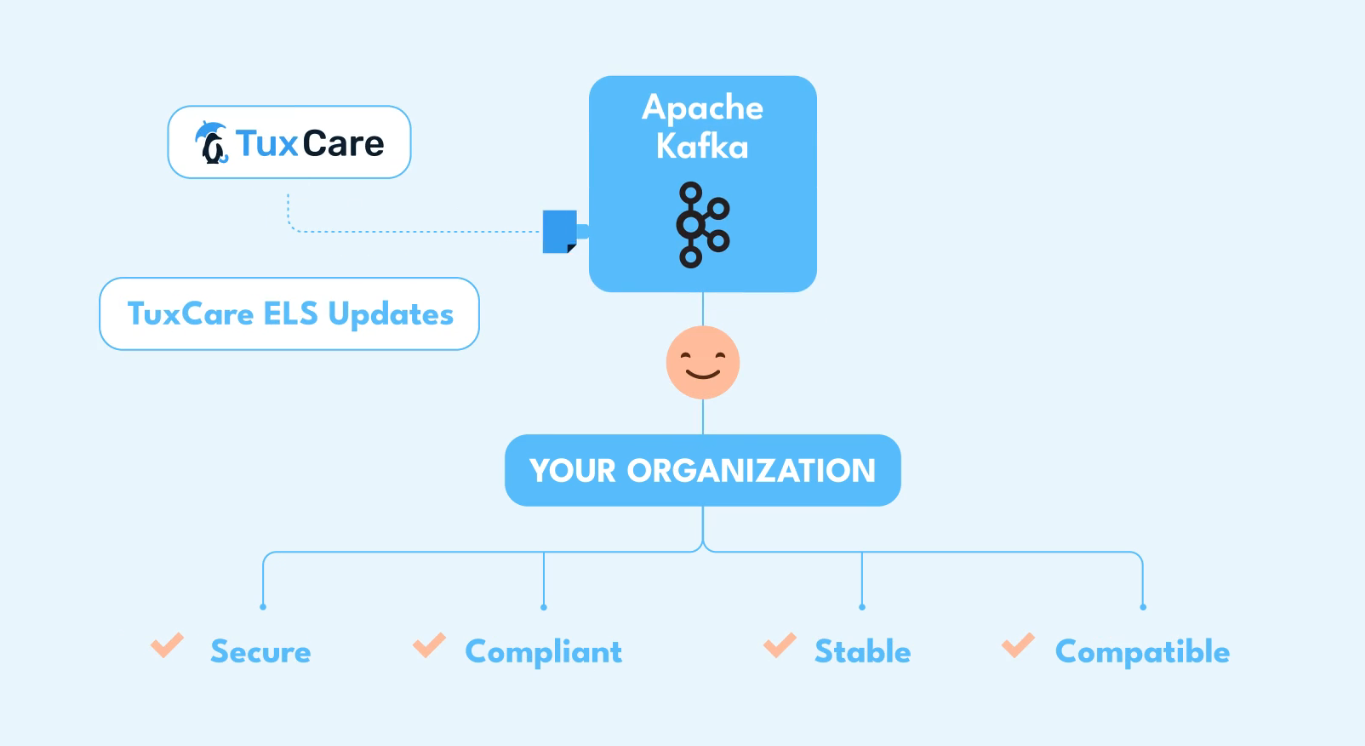
The security risks posed by end-of-life Apache Kafka versions are challenging to manage. Ideally, a migration would be a long-term goal, but sometimes it is just not feasible as an immediate solution. This is where TuxCare’s Endless Lifecycle Support (ELS) for Apache Kafka can play a crucial role in your comprehensive security strategy.
TuxCare’s ELS delivers ongoing security patches for older, unsupported Kafka versions like 3.2.3 and 3.5.2. It ensures that your systems receive the necessary security updates to protect against newly discovered CVEs, without the need for a costly and disruptive full-scale upgrade. This allows your security team to maintain security and compliance while planning your upgrade path on your own timeline.
FAQs
How do I test if my Kafka ACLs are working correctly?
The simplest way is to use the kafka-console-producer.sh and kafka-console-consumer.sh tools with a configured security principal. If access is denied, you’ll see an AuthorizationException in the client-side logs — confirming that your ACLs are correctly enforcing authorization.
What is the performance impact of enabling SSL on Kafka?
Enabling SSL/TLS adds encryption and decryption overhead, which can slightly increase CPU usage and cause minor drops in throughput and latency. The exact impact depends on your hardware, network configuration, and Java Cryptography Extension (JCE) settings.
Are there open-source tools for Kafka security auditing?
While no single tool is dedicated solely to Kafka audits, several open-source solutions can help. Kafka-UI and AKHQ allow you to inspect topic ACLs, monitor consumer groups, and browse message data. For deeper analysis, ELK Stack can process Kafka security logs and alert on suspicious activity.
What happens when a Kafka version reaches end of life?
Once a Kafka version reaches EOL, the community stops providing security patches and bug fixes. Any vulnerabilities (CVEs) discovered afterward remain unpatched, leaving your cluster exposed. To stay secure and compliant, you must either upgrade to a supported version or use a third-party service like TuxCare’s Endless Lifecycle Support (ELS), which delivers ongoing security patches for EOL Kafka versions.

