Tech Support
 Documentation
 Login
 Contact Us


Go straight to an AI summary of this blog post instead 


Key Takeaways
- OpenJDK 17 has no single end-of-life date, and vendor support runs anywhere from September 2026 to at least October 2029.
- Once support ends, CVE patches stop and passing compliance audits and insurance renewals gets harder.
- Teams that aren’t ready to migrate can keep getting CVE patches through third-party extended support without changing their runtime or code.
If your production workloads are still on OpenJDK 17, you’re in good company. Java 17 was the “safe” LTS pick for a reason – stable, well-supported, broadly compatible. The problem is that “supported” now means something different depending on which distribution you’re running, and those dates are not the same.
This article covers what OpenJDK 17 EOL actually means in practice, the specific dates for the most common builds, why migrating is harder than the docs make it look, and what your real options are when the deadline is closer than the codebase is ready for.
Overview of OpenJDK Lifecycle and Support
OpenJDK is the open-source reference implementation of Java SE, stewarded by Oracle. But it’s not the same thing as “Oracle JDK” – and that distinction is exactly what makes EOL planning confusing.
The upstream OpenJDK community supports a major release for roughly six months, until the next feature release ships. Long-term support is a downstream thing, handled by vendors who package and patch their own builds. Since Java moved to a six-month release cadence, only certain versions get LTS designation. Java 17 is one. Java 21 and Java 25 are newer LTS releases.
Here’s where the LTS versions currently stand:
|
Java LTS Version |
Released |
Status as of 2026 |
|
Java 8 |
March 2014 |
Extended. Still receives free updates from Amazon and Adoptium until Dec 2030. Oracle version requires a paid subscription. |
|
Java 11 |
September 2018 |
Active but vendor-dependent. Amazon and Microsoft provide free support until 2032 and 2027, respectively, but Red Hat’s full support ended October 2024. |
|
Java 17 |
September 2021 |
Active. Free OpenJDK builds widely available. Note: the Oracle JDK NFTC free window expired September 2024 – Oracle JDK 17 users now need a paid subscription. |
|
Java 21 |
September 2023 |
Mainstream. The current sweet spot for production. Oracle JDK NFTC free window closes September 2026. |
|
Java 25 |
September 2025 |
Newest LTS. Oracle JDK NFTC free window planned until September 2028. |
Adoption still lags well behind these dates. The 2025 Java Developer Productivity Report from JRebel found that 61% of respondents are still on Java 17. Across the broader sample, 72% reported using Oracle distributions outside free public support, including 35% on Java 8 and 32% on Java 11. Chances are your team is managing at least one EOL version alongside whatever you’re planning to migrate to.
OpenJDK 17 Key Dates
The single most important thing to understand: there is no one OpenJDK 17 EOL date. Each distribution runs its own timeline.
|
Distribution |
Support Ends |
Extended/Commercial Support |
|
Upstream OpenJDK community |
~6 months after release (Mar 2022) |
None |
|
Oracle JDK 17 (NFTC license) |
September 2024 |
– |
|
Oracle JDK 17 (Premier Support) |
September 2026 |
Extended until September 2029 |
|
Red Hat build of OpenJDK 17 |
December 31, 2027 |
– |
|
Eclipse Temurin (Adoptium) |
At least October 2027 |
– |
|
Amazon Corretto 17 |
At least October 2029 |
– |
|
Microsoft Build of OpenJDK 17 |
At least September 2027 |
– |
The two dates that most teams should have on their radar right now are Oracle’s Premier Support cutoff in September 2026 and Red Hat’s in December 2027. If you’re on Oracle JDK 17 without a Universal Subscription, free security updates stopped in September 2024. Continued updates require a paid Oracle Java SE Universal Subscription.
For a full breakdown of how Oracle and OpenJDK builds differ in licensing and support terms, see our OpenJDK vs Oracle JDK guide.
Java 17 was the LTS released as Oracle announced the move to a two-year LTS cadence; starting with Java 21, the gap between LTS releases dropped from three years to two. The shorter cycle means upgrade pressure now hits enterprises every two years instead of three – but most teams’ migration timelines haven’t adjusted to match.
What Actually Happens When OpenJDK 17 Reaches End of Life?
Your JVM keeps running. That’s the part that lulls teams into ignoring EOL dates – nothing breaks on day one. The application that was healthy yesterday looks exactly the same tomorrow. What changes is what’s happening upstream. Or more precisely, what stops happening.
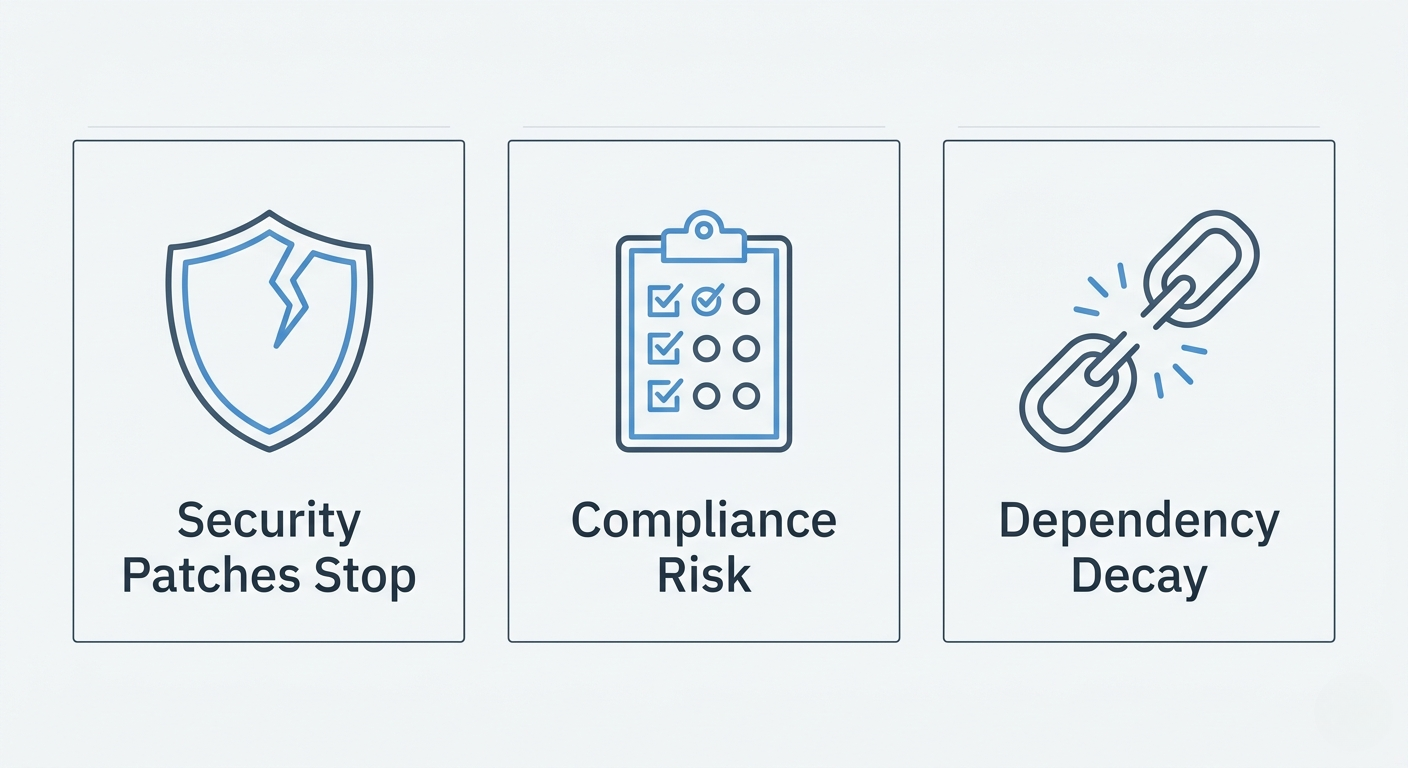
Three things start accumulating risk in the background after EOL.
1. Security Patches Stop
This is the big one. After EOL, the maintainer stops backporting CVE fixes to your version. New vulnerabilities found in JVM internals, the standard library, TLS implementations, deserialization paths – none of those get fixed in your build. They get fixed in Java 21 and 25. Your version just stays where it is.
The JVM is not a small target. Java has been involved in some of the most actively exploited vulnerability classes over the past decade, and CVEs keep landing every quarterly Critical Patch Update cycle. Once your version falls off that list, you’re accumulating whatever unpatched issues land between EOL and whenever you finally complete the migration.
2. Compliance Gets Harder
Most compliance frameworks – PCI DSS, HIPAA, SOC 2, FedRAMP, ISO 27001 – have explicit or implied requirements around running supported software with current patches. Auditors are increasingly specific about this, and “we were planning to upgrade” is not a satisfying answer in a findings report.
Running an EOL Java version puts you in the position of:
- Failing automated vulnerability scans – Nessus, Qualys, Wiz, and similar tools flag EOL runtimes by default
- Spending extra time documenting and justifying exceptions in every audit cycle
- Complicating cyber insurance renewals – several major insurers now directly ask whether EOL software is in production
- Creating breach disclosure exposure, because “we knew it was unsupported” is a very difficult story to tell after an incident
Reality Check: The 2025 Verizon DBIR found that vulnerability exploitation as an initial access vector grew 34% year over year, now accounting for 20% of breaches. Unpatched runtimes are exactly where this lands.
3. Dependency Decay Is a Slow-Moving Problem
This one catches teams who think they’ve already planned ahead. Even if your Java runtime stays on 17, the rest of your stack does not freeze with it.
Frameworks drop support for older JDKs. Spring Boot ships a new major version every year and routinely raises its baseline. Library maintainers stop testing against EOL JVMs. Container base images get rebuilt against newer JDKs. At some point, you hit a dependency update where a transitive library requires a feature that only exists in Java 21+, and the upgrade you’ve been deferring for two years suddenly has to happen this sprint – on the worst possible timeline.
Why Upgrading Isn’t Always Simple
The jump from Java 17 to 21 or 25 is genuinely smoother than most past major-version migrations. That doesn’t make it cheap. Here’s where teams actually get stuck.
Your Dependencies Aren’t All Ready
A Java version upgrade isn’t just a JVM swap. It’s every library, framework, and internal artifact that pins to a specific bytecode level or leans on internals that moved between versions.
Common breakages on the 17 → 21 path include:
- Reflection-heavy libraries running into stronger encapsulation rules
- Older bytecode manipulation tools – ASM, some Byte Buddy versions, older Hibernate releases – needing major upgrades
- Code using
sun.misc.Unsafehitting deprecation warnings or outright removed APIs - Build tooling (Maven Surefire, Gradle, JaCoCo) needing version bumps in lockstep
- Container images and CI runners needing parallel updates
A team with a four-year-old monolith will typically discover most of this only after the upgrade branch hits CI. Budget for it.
Your Test Coverage Is Probably Not as Good as It Feels
JVM upgrades surface bugs that unit tests don’t catch. Garbage collection behavior changes between versions. Default settings shift. The JIT compiler makes different decisions. Locale handling, time zone handling, regex engine behavior – all of these have caused real production incidents in past upgrades.
If your test suite doesn’t exercise real databases, real I/O, and realistic load profiles, the upgrade will pass CI and fail in production. This is the part of the migration plan that quietly gets skipped, and it’s the source of most “we already upgraded, why is everything broken” post-mortems.
The Calendar Doesn’t Match the Codebase
Even when the technical migration is manageable, the organizational reality often isn’t. Engineering capacity gets allocated quarter by quarter. The upgrade competes with feature work, security backlogs, and whatever incident has the team’s attention this week. A three-month migration estimate on paper becomes a nine-month migration in practice because nobody can dedicate uninterrupted time to it.
From the Trenches: A common pattern: a team plans the Java 17 → 21 upgrade for Q1, hits a Spring Boot major version conflict, defers to Q2, gets pulled into a SOC 2 audit prep cycle, and the whole thing slips to Q4. By then, Java 25 is available and the target shifts again. The teams that actually hit their windows treat EOL dates as hard project milestones with named owners – not backlog items they’ll get to eventually.
Your Options After OpenJDK 17 EOL
There’s no single right answer. The best path depends on your engineering capacity, how locked your stack is, and how tight your compliance requirements are. Here are the realistic options.

Option 1: Third-Party Extended Support for OpenJDK 17
If upgrading isn’t realistic on your current timeline, third-party extended lifecycle support is the cleanest way to keep receiving CVE patches without touching your runtime or refactoring your code. This approach works particularly well for teams running OpenJDK 17 across mixed Linux distributions – RHEL, AlmaLinux, Rocky, Ubuntu, Debian – where OS support lifecycles and JDK support lifecycles don’t line up neatly.
TuxCare’s Endless Lifecycle Support for OpenJDK provides ongoing security patches for OpenJDK versions including 17, 11, 8, and 7 – covering most major enterprise Linux distributions. The approach is straightforward: you keep your existing builds, keep getting patches as new CVEs surface, and buy yourself time to plan a real migration instead of a rushed one. It’s specifically designed for teams with regulatory constraints that can’t tolerate running unpatched runtimes, but also can’t drop everything to execute a major version upgrade this quarter.
Option 2: Upgrade to Java 21 or Java 25
The long-term right answer for most teams. If you have the engineering bandwidth, upgrading to a current LTS gives you years of free public support, meaningful performance improvements, and ongoing compatibility with the ecosystem as it moves forward. Under Oracle’s support roadmap, Java 21 has Premier Support through September 2028 and Java 25 through September 2030 – though if you’re on Corretto, Temurin, or another build, check your vendor’s specific timeline.
This is the right call when:
- Your codebase is small or well-tested enough to migrate within a quarter
- Your CI coverage will actually catch behavioral changes, not just compilation failures
- Your major dependencies already support Java 21+
- You can carve out a focused engineering sprint without it getting pulled in three directions
Option 3: Switch to a Different OpenJDK Distribution
If you’re on Oracle JDK 17 and the licensing shift in September 2024 caught you off guard, you don’t have to migrate to Java 21 right now to get out of the licensing problem. You can switch to Eclipse Temurin, Amazon Corretto, or the Microsoft Build of OpenJDK without touching your Java code – they’re all TCK-certified and behaviorally identical for the vast majority of workloads.
The migration away from Oracle JDK has already been underway for a few years – New Relic’s data shows Oracle’s share of the JDK market dropped from 75% in 2020 to 21% in 2024, while Eclipse Adoptium grew 50% year-over-year. Most teams that switched didn’t have to change a line of Java code to do it.
A few things to verify before switching:
- Confirm the new distribution’s EOL date for Java 17 – they vary by one to three years
- Check for vendor-specific JVM flags or extensions (rare, but worth auditing)
- Update provisioning, container images, and CI to pull from the new source
- Document the change for compliance records
Watch Out: Switching distributions is a tactical move, not a long-term solution. Corretto 17 and Microsoft’s build extend support past Red Hat’s window in some cases, but all of them end eventually. Use the switch to buy 12–24 months of runway – not as a reason to stop planning the actual migration.
Option 4: Accept the Risk (Deliberately)
Some teams genuinely make this call, and in certain contexts it’s defensible. Internal tooling, air-gapped environments, throwaway workloads – not everything justifies the engineering cost of a patched runtime.
Make the decision consciously, document it, and segment the risk so an unpatched JVM isn’t sitting on a public-facing endpoint. Pair that with an automated patch management approach for the rest of your stack so the unsupported component doesn’t become the weakest link by default. And separately, understand the difference between patch management vs vulnerability management – they’re not the same discipline, and conflating them is how unsupported components get missed in the first place.
Securing OpenJDK Post-EOL with TuxCare
The uncomfortable truth about Java EOL is that “the runtime still works” is exactly what makes it easy to deprioritize. Patches stop, dependencies decay, audit findings accumulate – and then one day there’s a CVE with a working exploit and your version isn’t on the patch list.
If your team is running OpenJDK 17 and the migration timeline on paper isn’t matching reality, that’s not an unusual position. The upgrade is the right long-term answer. But if you’re a quarter or two away from being ready to execute it properly, running unpatched in the meantime is a real risk.
TuxCare’s Endless Lifecycle Support for OpenJDK is built for that window – same builds, same workflows, CVE patches that don’t expire when the upstream support calendar says they should. It covers OpenJDK versions 7, 8, 11, and 17 across Enterprise Linux and Debian-based systems, for as long as your organization needs the runway. See pricing or reach out to TuxCare experts to scope what coverage looks like for your environment.