Tech Support
 Documentation
 Login
 Contact Us



Go straight to an AI summary of this blog post instead 


Key Takeaways
- Python security issues come from what you import as much as from what you write.
- Typosquatting and dependency confusion are well-documented ways malicious packages reach PyPI users.
- When a Python release reaches end of life, upstream security fixes stop arriving.
- Scanning in CI, pinned dependency versions and a steady patching habit remove a lot of everyday exposure.
A clean app can ship with a known vulnerability buried four dependencies deep, and you’d never spot it in your own source. Your own code can be just as much of a problem, through unsafe deserialization, injection flaws or a bad configuration. Python security risk lives in three places at once: your supply chain, your runtime version, and the code you wrote yourself.
This article walks through the vulnerabilities that actually show up in production, the CVEs worth knowing by name, and the habits that reduce exposure.
What are Python Security Issues?
Python security issues are vulnerabilities or weaknesses in Python applications that an attacker can use to get at data, hijack functionality or break system integrity. Python is deployed nearly everywhere and sits on top of an enormous third-party package ecosystem, and that ecosystem is what hands attackers such a large supply chain surface to aim at.
Most of these issues aren’t exotic. They come from poor coding practices like passing user input to eval(), from outdated libraries running with a public CVE against them, or from plain misconfiguration such as debug mode left on in production.
There’s a fourth source that catches teams off guard, which is running a version of Python that no longer gets fixes. Once a release reaches end of life, upstream security patches stop, so anything discovered after that date stays open unless you migrate or pick up extended support from somewhere else.
| Python version | End-of-life | Status (as of August 2026) |
| 2.7 | January 2020 | Unsupported |
| 3.7 | June 2023 | Unsupported |
| 3.8 | October 2024 | Unsupported |
| 3.9 | October 2025 | Unsupported |
| 3.10 | October 2026 | Security fixes only |
| 3.11 | October 2027 | Security fixes only |
| 3.12 | October 2028 | Security fixes only |
| 3.13 | October 2029 | Bugfix support |
| 3.14 | October 2030 | Bugfix support |
Python’s own terms for those states are bugfix and security. Bugfix branches take both bug fixes and security fixes and get fresh binaries every couple of months. Once a branch moves to security, only security fixes are accepted and no more binaries are released, which can mean building from source on some platforms and seeing third-party libraries begin to drop support. Treat the start of that phase as the point to plan your upgrade, not the point to relax.
Common Python Security Issues
The vulnerabilities below turn up in web apps, data pipelines and internal tooling alike. Some are coding mistakes you control. Others arrive through dependencies you never picked, and that second category is the easier one to miss.
Sonatype’s 2024 supply chain report found that 80% of application dependencies go un-upgraded for more than a year, and that 95% of the time a vulnerable component gets pulled in, a fixed version already exists. In plenty of cases the problem isn’t a zero-day at all. It’s a known CVE with a fixed version already sitting on the shelf.
Insecure Deserialization
Loading pickle data from an untrusted source is remote code execution waiting to happen. pickle.load() will happily reconstruct arbitrary Python objects, including ones that run code the moment they’re instantiated. The same goes for yaml.load() with an unsafe loader. For untrusted YAML, reach for yaml.safe_load(), and keep pickle away from untrusted or unauthenticated data entirely.
Injection Through Dynamic Execution
eval() and exec() turn attacker-controlled strings into executable Python. Unparameterized SQL is the same class of problem through a different mechanism, where input reshapes the structure of a query rather than the program. Formatting a query with an f-string instead of binding parameters is the classic footgun here. The rule is dull and effective: never interpolate untrusted input into code, shell commands or SQL.
Vulnerable and Malicious Dependencies
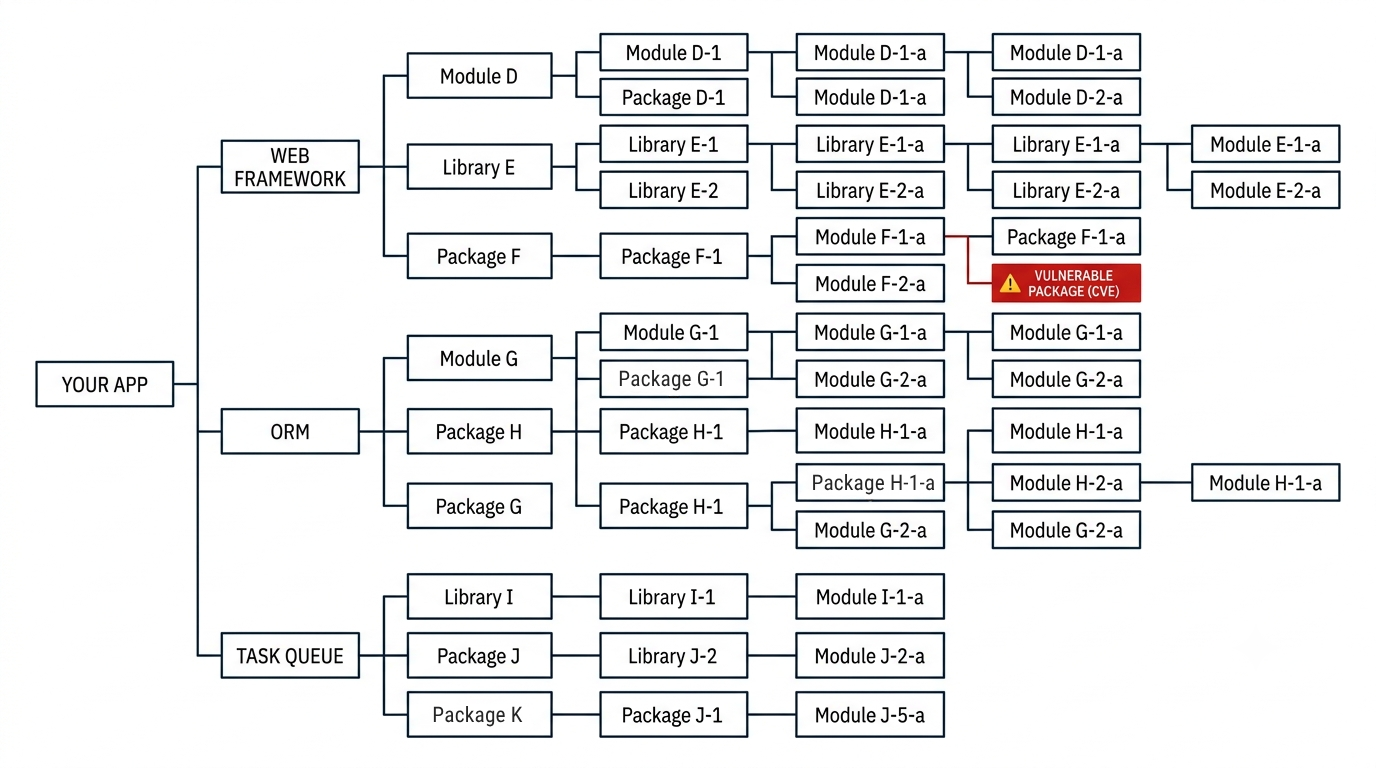
A typical project pulls in a long transitive tree, and any package in that tree can carry a known CVE or turn out to be a straight impersonation of something legitimate. Typosquatting and dependency confusion are well-documented supply chain patterns at this point. TuxCare’s write-up of three PyPI packages caught running Linux miners shows what that looks like in the wild.
If you want active protection rather than advisory emails, SecureChain for Python swaps the public PyPI repository for a verified, rebuilt-from-source alternative that’s malware-scanned and continuously patched.
Path Traversal in Archive Handling
Archive extraction carries path-traversal risk whenever member paths aren’t handled carefully, because a member name containing ../ can drop a file outside the directory you meant to write to. In Python’s tarfile module that’s the issue tracked as CVE-2007-4559, and it sat in the standard library for well over a decade before any extraction filter mechanism existed.
Running End-of-Life Python
This one isn’t a code bug so much as a calendar problem. A legacy service running Python 2 well past its end of life gets no security fixes from upstream, so every applicable CVE stays open unless you migrate or obtain extended support. When a rewrite is realistic, migrating from Python 2 to 3 is the real fix.
Endless Lifecycle Support for Python from TuxCare is the stopgap in the meantime. It keeps CVE patches flowing to Python 2.7 and to the 3.3 through 3.13 releases once those versions pass end of life, delivered through the package manager you already use.
Python Is Everywhere, and That’s Part of the Risk
Python’s reach is exactly why its security debt compounds. The systems built on it tend to be code-heavy and load-bearing, where even a small change risks disrupting operations, so version migrations get pushed to next quarter. Those delays are a big reason unsupported runtimes are still sitting in production.
Django powers plenty of high-traffic sites, and Django 1.11 was the last release to support Python 2, with support dropped entirely in 2.0. Flask dropped Python 2 in version 2.0. If a site still depends on a Python 2-era release of either framework, it needs a supported migration path or another source of security fixes.
In AI and machine learning, TensorFlow, pandas and scikit-learn all expose Python APIs while leaning heavily on optimized C, C++ or Cython underneath. A vulnerability in libraries deployed that widely can affect a large number of downstream applications.
On the DevOps side, Ansible, Mercurial, Buildbot and SCons are either written in Python or wired tightly into it, and on the enterprise end, platforms like Tryton and Odoo run large deployments where downtime gets expensive fast.
Best Practices to Secure Python Applications
You don’t need a dedicated security team to shut down a lot of this. You need a handful of habits enforced automatically, so nothing depends on a person remembering. The aim is prevention, meaning bad code doesn’t ship, plus fast correction for the times something slips through anyway.
Pin and Audit Your Dependencies
Pin dependency versions in requirements.txt, or use your package manager’s lock file, so resolution repeats the same way every time. Then scan that file on every commit.
Tools like pip-audit and Safety CLI check your dependencies against vulnerability databases and exit non-zero when they find a match, which is what lets a CI job fail on a finding. Worth knowing that Safety’s old check command is deprecated in favour of safety scan.
Pro Tip: pip-audit already exits non-zero when it finds a vulnerability, so pip-audit -r requirements.txt is enough for CI to fail the job instead of letting the problem reach production. Add –strict when you also want dependency-collection failures to fail the audit.
Validate and Sanitize All Input
Treat every external input as untrusted by default, whether that’s form fields, API payloads, file uploads or archive contents. Use parameterized queries for databases, allowlists for file paths, and safe loaders for serialized data, which in practice means yaml.safe_load() and never unpickling untrusted or unauthenticated data.
Run Static Analysis
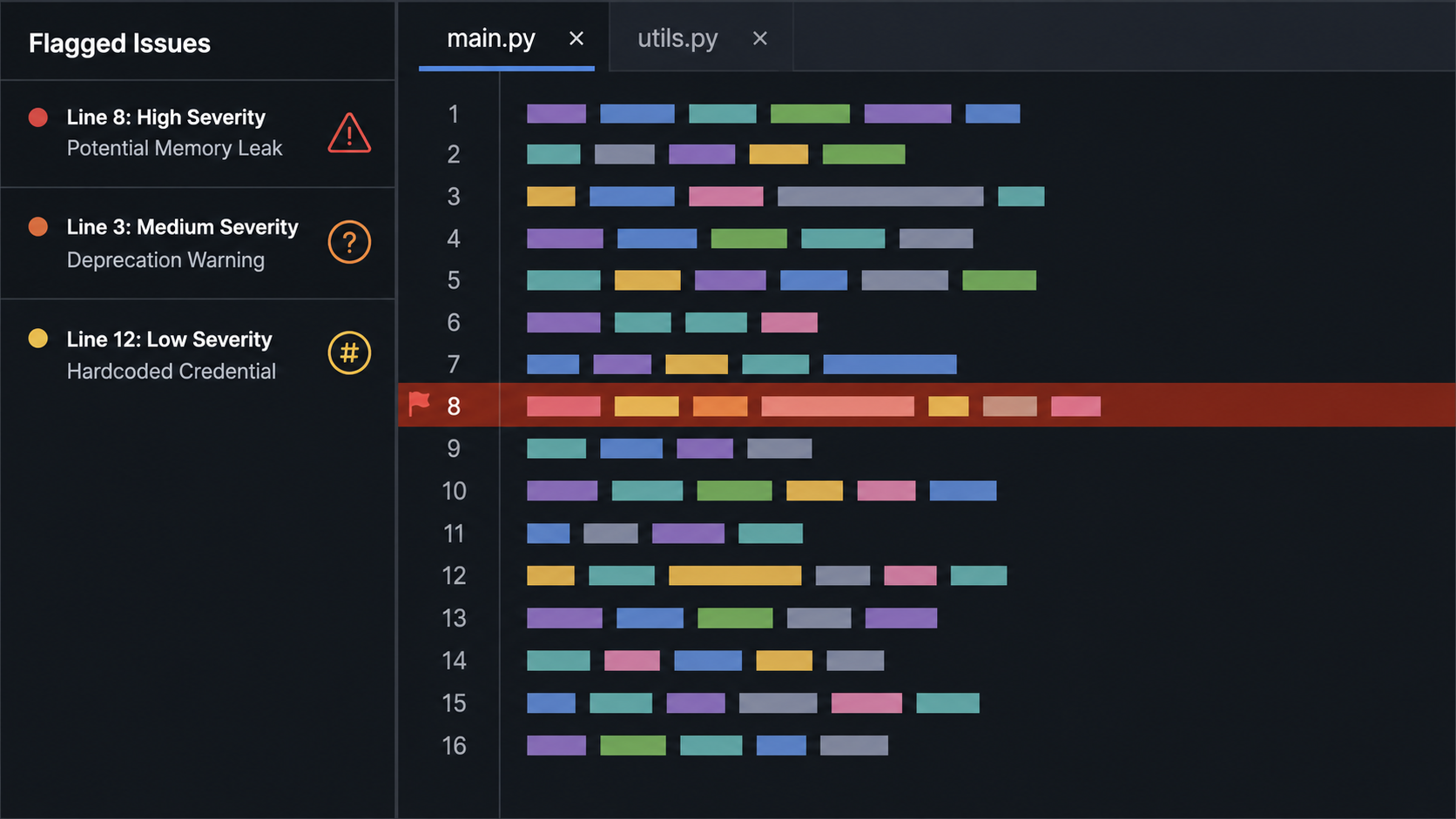
Static analysis catches dangerous patterns before they ship. Bandit is a widely used Python-focused static analysis tool, and it flags things like hardcoded passwords, assert used for security checks, and unsafe subprocess calls. Run it alongside your linter so security checks become part of the normal development loop rather than a separate chore.
Keep Python and Its Libraries Patched
Out-of-date packages are a common reason a known vulnerability stays exploitable. A disciplined patching routine covering the runtime, the standard library and your dependencies shrinks the window attackers rely on. If the line between vulnerability patching and risk tracking feels blurry, this breakdown of patch management vs vulnerability management is worth a read.
Apply Least Privilege at Runtime
Run services as a non-root user, scope file and network permissions tightly, and never ship with debug mode enabled. If an attacker does land code execution, least privilege is what decides whether you get a containable incident or a very bad week.
How to Mitigate Python Security Risks
Best practices tell you what good looks like. Mitigation is the order you work through things when you have a real backlog and not enough time. Work from highest impact down.
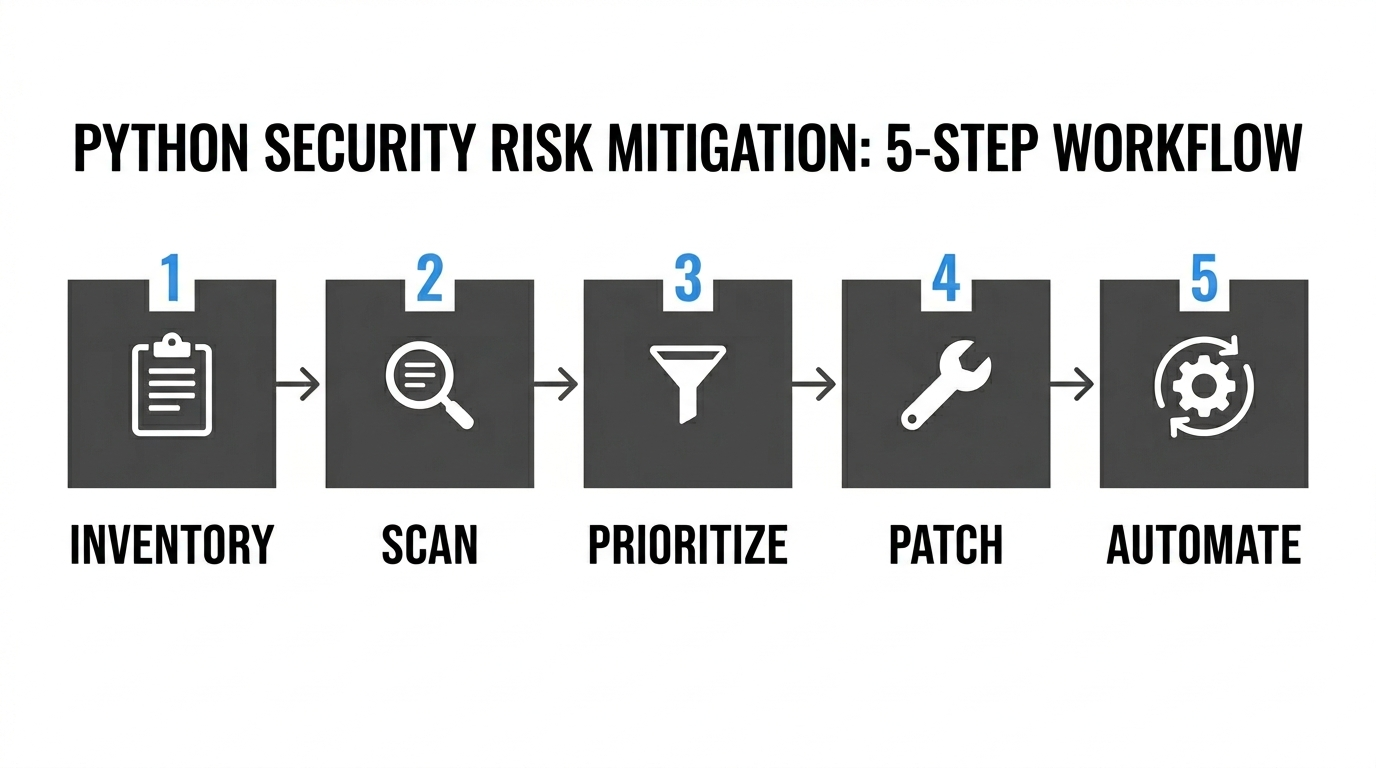
Step 1 Inventory What You Actually Run
You can’t secure what you can’t see. Generate a software bill of materials so you have a full list of direct and transitive dependencies, plus the exact Python version in every environment.
Step 2 Scan Against Known CVEs
Feed that inventory into a scanner, whether that’s pip-audit, Safety CLI or a platform tool, and match each installed package and version against known vulnerability advisories. That turns “we might have issues” into a ranked, fixable list.
Watch Out: An inventory that captures only your direct requirements can leave transitive vulnerabilities out of view. Check that your tooling resolves or records the full dependency tree before you trust the results.
Step 3 Prioritize by Exploitability Not Just Severity
A high CVSS score on code that isn’t reachable in your deployment doesn’t automatically outrank a medium-severity bug exposed through a public-facing API. Read severity in context, alongside reachability and evidence of active exploitation. This primer on how CVE and CVSS scoring works helps you triage instead of patching blindly.
Step 4 Patch Then Verify
Apply the fix, then confirm it actually took. Re-run the scanner and your test suite. The same discipline applies across the stack, from a Python dependency to the Linux packages underneath it, because patching without verification is just optimism.
Step 5 Automate So It Stays Fixed
Manual patching decays the moment people get busy. Schedule recurring scans, turn on automated dependency-update pull requests, and gate merges on a clean security check. Patching works as a pipeline, not a quarterly fire drill.
Common Python Security Vulnerabilities (CVEs)
These are real, assigned CVEs in the standard library or in widely used packages. Two of them are in setuptools – build-time tooling is a recurring blind spot that teams forget to scan. The scores below are NVD CVSS v3.1, and upstream or vendor ratings for the same CVE sometimes differ, so don’t be thrown if your scanner shows a different number.
| CVE | Component | Severity
(NVD CVSS v3.1) |
Fixed/Mitigated in |
| CVE-2007-4559 | tarfile (stdlib) | Critical (9.8) | Extraction filters added in Python 3.12; safer default in Python 3.14 |
| CVE-2023-24329 | urllib.parse (stdlib) | High (7.5) | Python 3.11.4 |
| CVE-2024-6345 | setuptools | High (8.8) | setuptools 70.0 |
| CVE-2023-50447 | Pillow | High (8.1) | Pillow 10.2.0 |
| CVE-2025-47273 | setuptools | High (8.8) | setuptools 78.1.1 |
Path Traversal in tarfile (CVE-2007-4559)
A directory-traversal flaw in tarfile.extract() and extractall() lets a crafted archive write files outside the target directory using .. in member names. Trellix put the issue back in front of the industry in 2022, estimating over 350,000 vulnerable open-source repositories from a 61% rate found in a manual sample of its scan results. Python 3.12 added extraction filters through PEP 706. In 3.12 and 3.13 the legacy behavior is still the default and a DeprecationWarning fires when no filter is passed, so code has to pass filter=’data’ or another appropriate filter to get the safer handling. Python 3.14 makes data the default.
The safer default helps, but it doesn’t close out archive-extraction risk. A batch of CPython releases in June 2025, covering 3.9.23, 3.10.18, 3.11.13, 3.12.11 and 3.13.4, fixed several ways the data and tar filters could be bypassed with crafted symlinks and hard links, tracked as CVE-2024-12718, CVE-2025-4138, CVE-2025-4330, CVE-2025-4435 and CVE-2025-4517. Python’s own tarfile documentation still warns that no filter blocks every dangerous archive feature, so treat filters as one layer, keep your point release current, and verify the files and paths created during extraction.
Worth Noting: when the flaw was first reported in 2007, the immediate mitigation was a documentation warning rather than a change to extraction behavior. The safer default didn’t arrive until Python 3.14, roughly eighteen years after the issue was first reported.
Blocklist Bypass in urllib.parse (CVE-2023-24329)
A URL beginning with certain blank characters can slip past blocklist checks built around urllib.parse, because the parser doesn’t strip those leading characters before validation. Any SSRF guard or URL filter leaning on the affected parsing can be undermined by it. Fixed in Python 3.11.4, with backports to 3.10.12, 3.9.17, 3.8.17 and 3.7.17.
Remote Code Execution in setuptools (CVE-2024-6345)
The package_index download helpers in setuptools up to 69.1.1 build shell commands with os.system() when fetching Git and Mercurial URLs, so an attacker-controlled package URL can become command execution. Patched in setuptools 70.0. Most teams never think to pin or scan setuptools itself, because build tooling quietly gets filed under infrastructure rather than dependencies.
Arbitrary Code Execution in Pillow (CVE-2023-50447)
Pillow through 10.1.0 allows arbitrary code execution through the environment parameter of PIL.ImageMath.eval(). The exposure depends on attacker-controlled values reaching that parameter, not simply on processing user-supplied images. Fixed in Pillow 10.2.0, which restricts what the evaluation environment can reach.
Path Traversal in setuptools (CVE-2025-47273)
The second setuptools flaw is a path traversal in PackageIndex.download. The destination path gets built with os.path.join(), which discards the temporary directory when the attacker-influenced filename starts with a slash or a drive letter, so files can be written wherever the running process has permission, escalating to code execution depending on context. Fixed in setuptools 78.1.1. Both easy_install and package_index are deprecated, which narrows the exposure, but two flaws in the same build tool within a year are a good reminder to scan your toolchain and not just your runtime dependencies.
Keep Your Python Applications Secure with TuxCare
The hard part of Python security isn’t knowing the fixes. It’s keeping the runtime, the standard library and your dependencies patched without forcing an immediate migration or a disruptive application upgrade. That gap widens the moment a version reaches end of life and upstream patches stop.
TuxCare covers both ends of that problem.
For teams stuck between “we need to upgrade” and “we can’t break production right now,” Endless Lifecycle Support for Python delivers ongoing security patches across Python 2.7 and the 3.3 through 3.13 releases once they pass end of life, for as long as you need them. No forced migration timeline – CVE patching just continues after upstream support ends.
For teams worried about what’s arriving through pip, SecureChain for Python replaces the public PyPI repository with a verified, rebuilt-from-source alternative. Packages are malware-scanned before they reach your environment, and patching continues long after upstream maintainers stop. Same packages, same workflow, without the blind trust.