Tech Support
 Documentation
 Login
 Contact Us



Go straight to an AI summary of this blog post instead 


If you manage live patching at scale, you know what good tooling looks like. A clear picture of patch status across the fleet. The ability to act the moment a release needs your attention. A console that has your back when the workflow gets busy.
The latest ePortal release is built around all three.
ePortal is the on-premise patch management console for KernelCare and LibCare. It’s where Linux admins register servers for rebootless live patching, distribute patches inside air-gapped environments, and decide which machines get updated and when. The latest version expands the console in two directions: deeper visibility into patch status across the fleet, and finer control over how releases roll out. There’s also some quiet work under the hood for reliability and FIPS.
Here’s the tour.
Deeper Visibility into Patch Status
The admin interface has been rebuilt with new, purpose-built pages. Daily workflows like checking fleet state, finding servers that need attention, and acting on what you see each have a dedicated page. The console is more responsive overall.
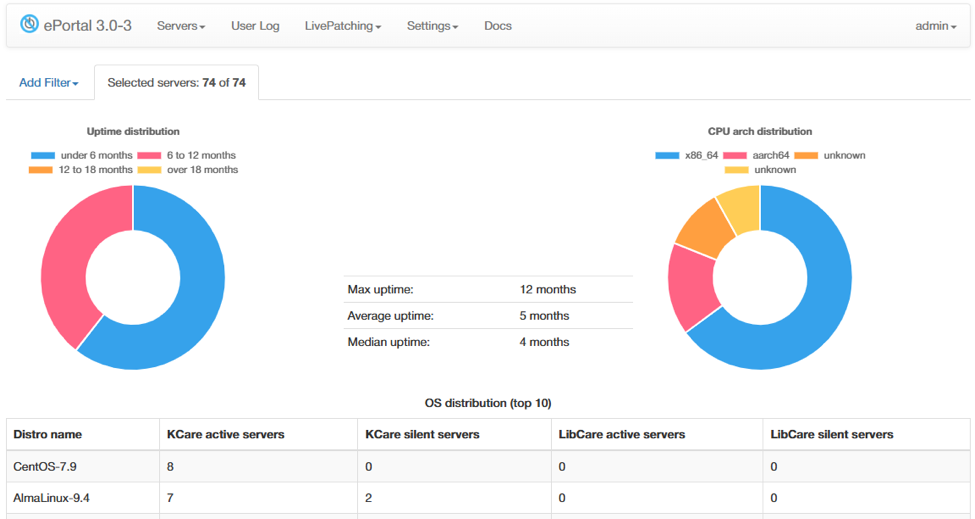
Picture 1. Overview page.
On the Overview page, donut charts are now fully interactive. Click any segment, and ePortal takes you straight to the matching set of servers. The same applies to the Servers page, where the status counters at the top are now links that filter the table for you. Drill-down becomes a click instead of a workflow.
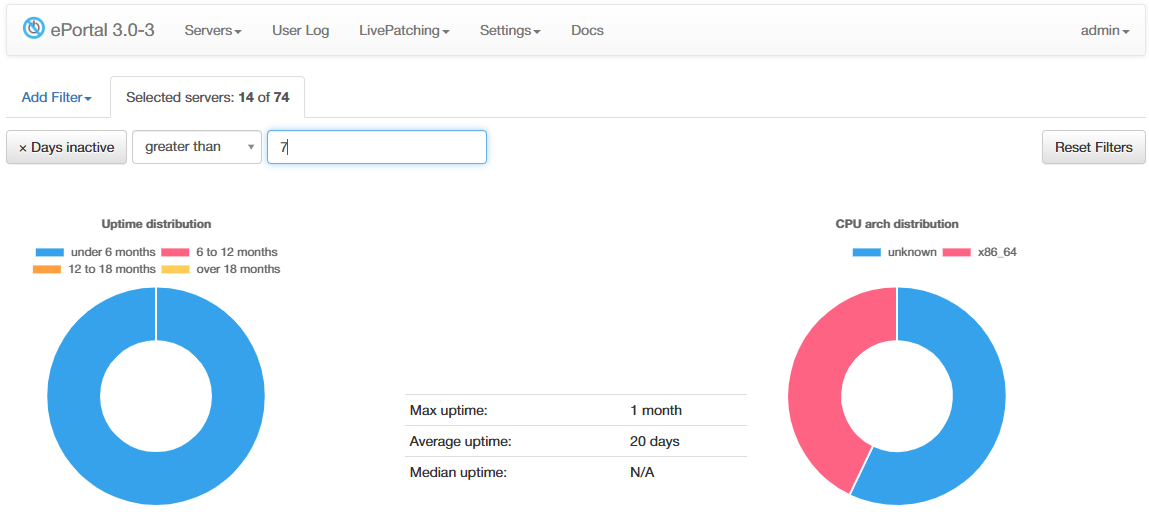
Picture 2. Clickable donut charts.
Servers with every current patch applied now show a clear “latest” indicator on the Servers page, so you can tell at a glance which machines are fully up to date. When a server hits a patching error, the server details page now displays the error status inline, keeping the diagnosis inside the console.
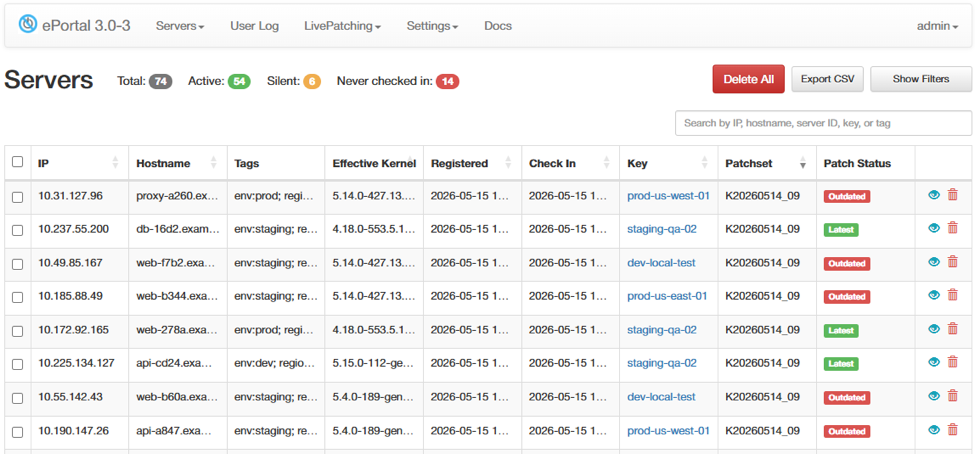
Picture 3. Server details page.
A new filter on the Usage column narrows patchsets to only those actively in use. Helpful when you want to audit what’s actually running in production versus what’s sitting in your catalog.
Releases blocked or frozen at the patch source are now clearly labeled “Blocked” in the UI, with audit logging and modification restrictions. You can see immediately which releases are unavailable and why, and the safeguards prevent unintended changes.
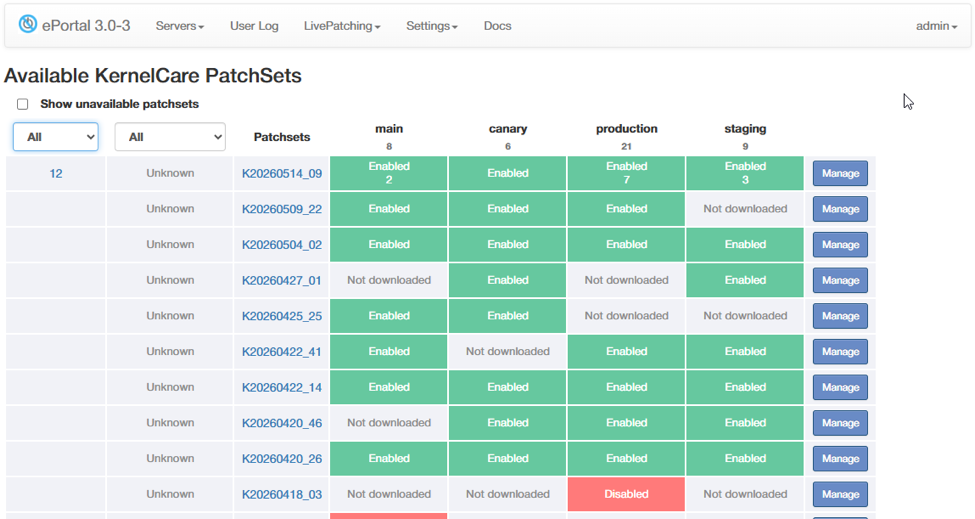
Picture 4. Release details page.
Finer Control Over Release Deployment
The second theme in this release is giving admins the ability to act immediately on what they see. You can now disable a release at any point during deployment, without waiting for the rollout to fully complete. If priorities shift mid-rollout or a release needs to be paused for review, the action is a single click.
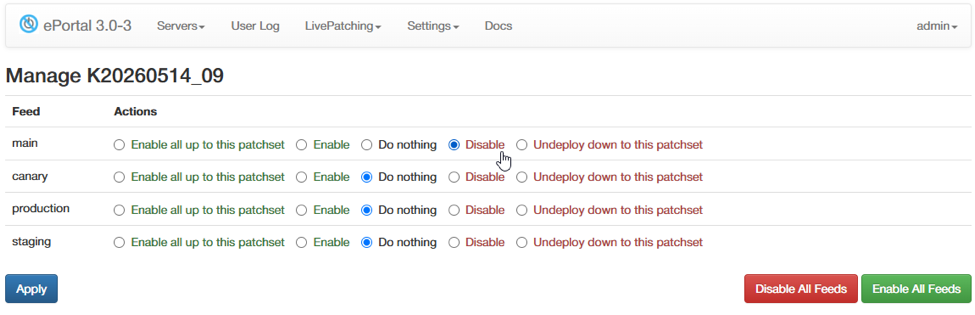
Picture 5. Disable-during-deployment action.
When a release is disabled upstream on the patch server, ePortal now reflects that state accurately, keeping deployment decisions in sync with the patch source. Combined with the blocked/frozen labels and audit logging, you get a clear, defensible record of what was deployed, when, and by whom. Useful for internal review and for audit responses.
For routine fleet maintenance, stale and never-checked-in servers can now be removed in bulk. As fleets evolve over time, this keeps the inventory clean without manual page-by-page work.
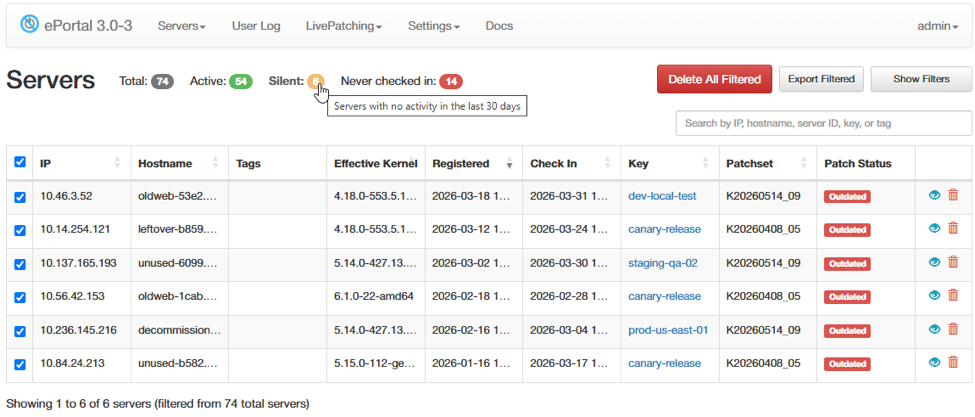
Picture 6. Bulk cleanup action.
Reliability and FIPS
Two changes worth flagging if you’re operating ePortal in a regulated or constrained network environment.
Patch source requests now support configurable timeout and retry settings, useful where ePortal sits behind a slow proxy or operates over high-latency or intermittent connectivity. The defaults still work for most deployments, but the values are now tunable to your environment.
Cryptographic digest methods in authentication code have been updated to align with FIPS requirements. A meaningful change for teams operating in regulated environments where audit responses on cryptographic primitives are part of the job.
Update to the Latest Version
To benefit from everything in this release, upgrade to the latest version of ePortal using the standard upgrade procedure in the TuxCare ePortal documentation.
New to KernelCare? You can start a trial or purchase now to add live patching to your fleet.
A lot of what’s in this release came from direct customer feedback. If there’s something you want to see in the next one, let us know.