Tech Support
 Documentation
 Login
 Contact Us


Go straight to an AI summary of this blog post instead 


Key Takeaways
- PHP publishes end of life dates years ahead, while Composer packages announce nothing when a maintainer stops showing up.
- An abandoned dependency is often the reason a PHP upgrade stalls rather than a side effect of it.
- composer why-not tells you quickly what’s blocking your next runtime upgrade.
- Composer can find abandoned packages, but nothing in the toolchain will patch them for you.
A team spends four months moving from PHP 8.1 to 8.3. Testing, staging, a weekend cutover, the whole process. It works.
Then composer audit flags a package that handles payment webhooks as abandoned. Someone opens the repository and finds no commits since 2021. No EOL policy, no deprecation notice, just a project that quietly stopped getting attention, sitting four levels deep in a dependency tree nobody has read end to end.
The runtime got upgraded. The EOL software risk didn’t move.
That gap between “we’re on a supported PHP version” and “our application is supported” is where a lot of PHP security debt hides, and it’s much harder to spot than a version number in php -v.
The PHP End of Life Timeline Everybody Tracks
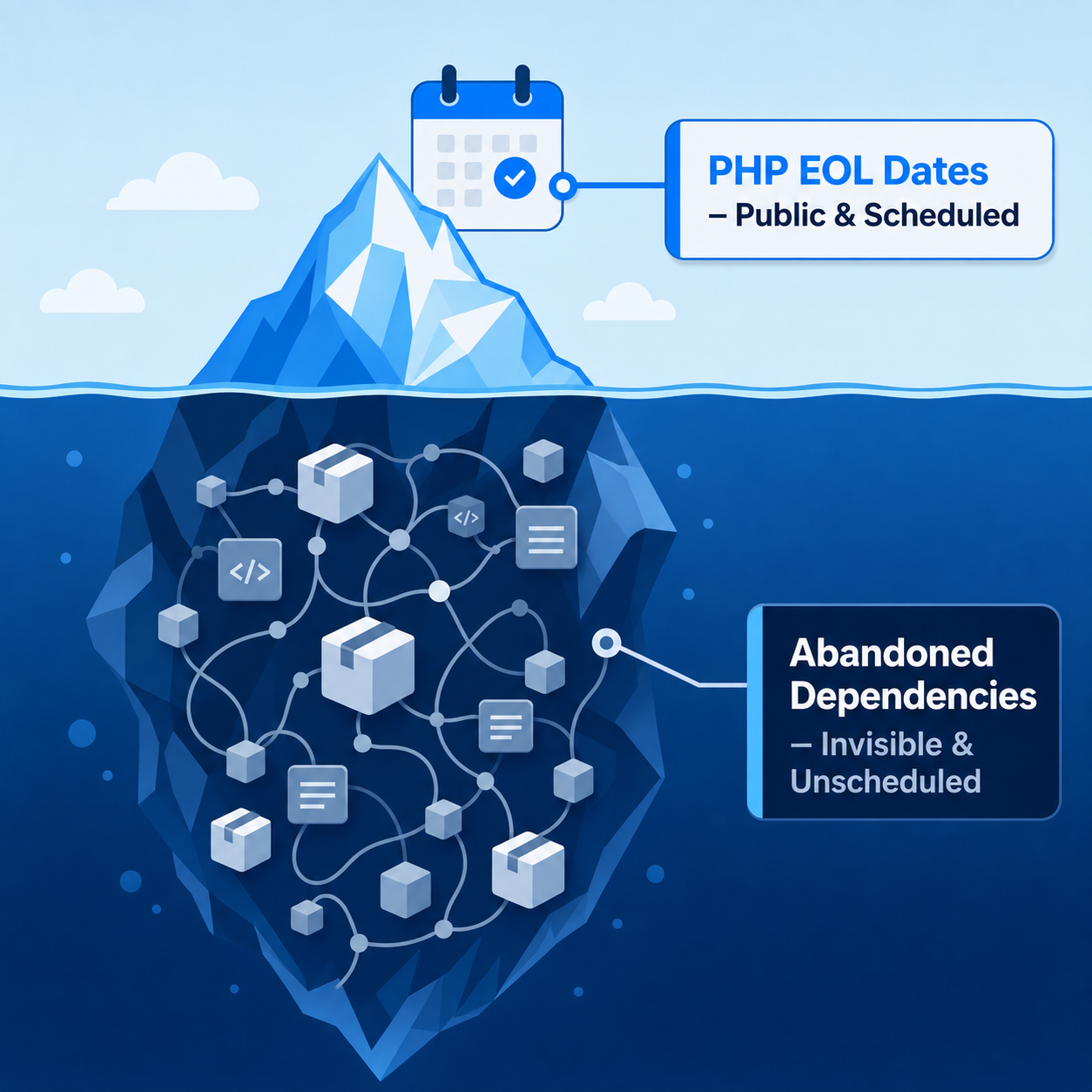
PHP’s release policy is genuinely good, and that predictability is exactly why runtime EOL is the easy half of this problem. Each branch gets two years of active support, then two more years covering critical security issues only.
One wrinkle worth knowing before you read the table. That four-year window only applies from PHP 8.1 onward, because the release cycle was extended in 2024. Anything older got a single year of security fixes instead of two, which is why 7.4 and 8.0 look short below.
Here’s where things stand right now, confirmed against PHP’s official supported-versions page.
| PHP version | Released | Active support until | Security support until |
| 7.4 | Nov 2019 | Nov 2021 | Nov 2022 |
| 8.0 | Nov 2020 | Nov 2022 | Nov 2023 |
| 8.1 | Nov 2021 | Nov 2023 | Dec 2025 |
| 8.2 | Dec 2022 | Dec 2024 | Dec 2026 |
| 8.3 | Nov 2023 | Dec 2025 | Dec 2027 |
| 8.4 | Nov 2024 | Dec 2026 | Dec 2028 |
| 8.5 | Nov 2025 | Dec 2027 | Dec 2029 |
PHP 8.1 and 8.2 are the two worth your attention today. PHP 8.1 reached end of life in December 2025, so anything still running on it has gone months without upstream security fixes. PHP 8.2 EOL lands at the end of December 2026, and while 8.2 is genuinely still supported today, any team planning to run it past that date needs something in place before then.
Teams that can’t migrate in time can put vendor-backed patching on the runtime itself and keep receiving security fixes while the migration finishes. That’s what TuxCare’s Endless Lifecycle Support for PHP covers once a PHP version goes end of life, for as long as that version stays in your stack.
Note: Being inside the security-only window is not the same as being under active support. Regular bug fixes have stopped. Performance work has stopped. Compatibility work has stopped. What’s left is critical security fixes on a branch the release managers have already moved on from.
Why Composer Dependencies Never Get an End of Life Date
Almost nobody publishes a support policy for a package they wrote on a weekend in 2018.
That’s the real difference. PHP has a release managers group, a documented policy, and a schedule you can plan against. A Composer package often comes down to one person or a small team, and people change jobs, lose interest, or get pulled onto something else. When that happens, there’s no announcement, because there was never a commitment to announce anything.
Loss of maintenance shows up in a few different ways, and only one of them is easy to spot. A package marked abandoned on Packagist is the friendly case, because Composer will actually warn you about it. A repository archived on GitHub is the same situation with none of the warning, and Composer stays quiet about it.
Then there’s the package whose last release was two or three years ago with issues piling up unanswered, the maintainer who’s still around but done supporting the older major version you happen to be stuck on, the package that got folded into a different project without a redirect, and the fork that quietly became the real project while the original kept the name.
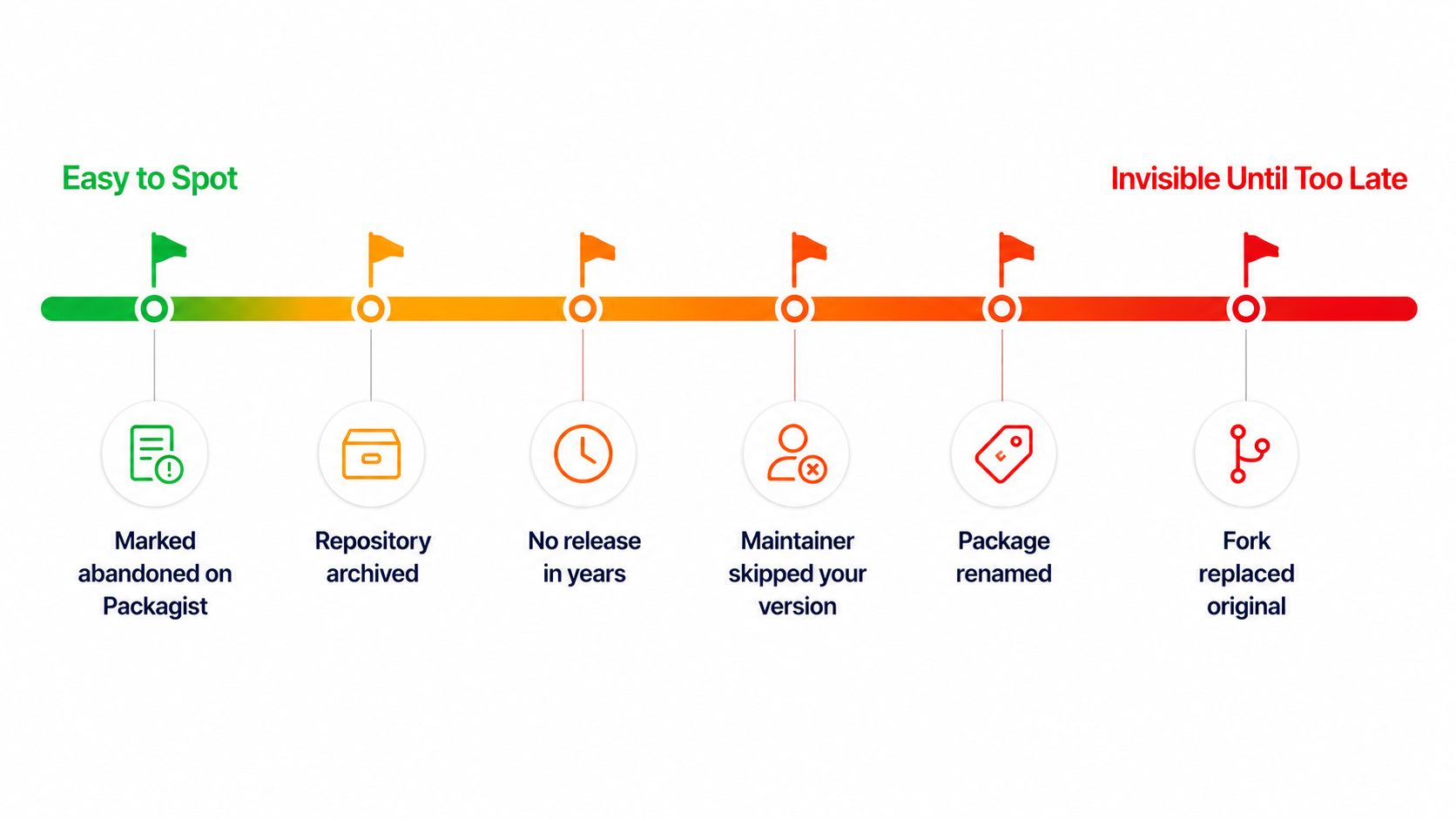
A package that’s technically still there, still installable, still resolving cleanly – and getting zero security attention – looks exactly like a healthy package from inside your composer.lock.
How to Find Out What You’re Actually Running
Set aside a few minutes per application. The output is usually not fun to read.
Start with what Composer already knows.
composer audit
Composer 2.4 and later checks your installed dependencies against Packagist’s advisory API, which aggregates the PHP Security Advisories Database and the GitHub Advisory Database. Add –locked if you’d rather audit composer.lock directly without installing first, which is the usual choice in CI. Abandoned packages entered the picture in Composer 2.6.3, and since 2.7 they fail the audit by default, so a clean run on a modern Composer already tells you more than it used to.
If you want the abandoned list without breaking the build, 2.8 added a flag for exactly that.
composer audit –abandoned=report
That downgrades abandoned packages from a failure to a report, which is usually what you want in CI while a backlog gets worked through.
Now look at how far behind your direct dependencies actually are.
composer show –outdated –direct
The –direct flag matters. Skip it and you get the whole tree, where the useful signal drowns in noise. Direct dependencies are the ones you chose on purpose, so they’re the most actionable place to start. Add –sort-by-age and the oldest releases come first, which is a faster way to spot the genuinely stale ones.
For anything that looks stale, check the package’s actual status instead of trusting the version number.
composer show vendor/package
That pulls the package’s own metadata, including whether Packagist has it flagged abandoned and what the maintainer suggested as a replacement, if they bothered to suggest one. For a real read on maintenance activity, recent commits, releases, open issues, and whether pull requests go anywhere, check the repository directly.
Why Upgrading PHP Doesn’t Fix This
Now flip the usual assumption around. The abandoned dependency is usually the reason you’re still on old PHP, not a symptom of it.
An unmaintained package requiring php: >=8.1 <8.3 will refuse to install on 8.4, and with nobody maintaining it, that upper bound never gets loosened. The upgrade stalls on a library that stopped receiving maintenance years ago.
Composer will show you exactly which packages are blocking it.
composer why-not php 8.4
Run that before you scope any runtime upgrade. It turns “the PHP 8.4 migration is a big unknown” into a specific and usually shorter-than-expected list, and it often has one or two names on it that make the room go quiet.
Roughly what comes back:
Package “php” could not be found with constraint “8.4”, results below will most likely be incomplete.
acme/webhook-handler 2.0.0 requires php (>=8.1 <8.3)
Not finding what you were looking for? Try calling `composer require “php:8.4” –dry-run` to get another view on the problem.
composer why-not hands you the raw list, which packages and which constraint. What you do with each one depends on a quick follow-up check, composer show vendor/package plus a look at the repo. Four outcomes cover almost everything you’ll run into.
| What why-not returns | What it usually means | Realistic path |
| Nothing | Constraints already allow the upgrade | Move on to application compatibility and testing |
| One or two maintained packages | Waiting on upstream releases | Check their issue trackers and upcoming releases |
| An abandoned package with a known fork | The community moved and you didn’t | Switch to the fork and budget for compatibility testing |
| An abandoned package with no replacement | You now own this code | Vendor it, patch it, or pay someone to patch it |
Vendoring an abandoned library into your own repo means your team now owns its CVEs, and most teams that take this path don’t staff for it. The code gets copied in. The ownership doesn’t come with it.
Patching Composer packages after upstream walks away is a narrow discipline, and it’s the specific problem SecureChain for PHP is built to handle rather than a capability most engineering organizations want to build and maintain in-house.
What Happens to Security Patches After Upstream Walks Away
Upstream, nothing happens. That’s the part worth spelling out, because plenty of teams quietly assume a safety net exists somewhere.
Packagist doesn’t patch packages. Advisory databases record vulnerabilities, which is useful but different from fixing them. An advisory against an abandoned Composer package can sit unresolved indefinitely, with no official patched release to upgrade to, unless maintenance resumes or a fork picks up the fix.
Your options from there are narrow. Fork it and fix it yourself, replace the dependency, accept the risk with a documented compensating control, or bring in someone whose actual job is backporting fixes to code upstream left behind.
Note: If you patch a fork, pick the Composer strategy deliberately. For an application, the documented route is a VCS repository pointing at your fork, the original package name left alone, and the constraint aimed at your dev- branch. Publish the fork under your own name instead and you need replace, so that anything requiring the original still resolves. Inline aliases are the trap. They’re a root-only feature, which means the left side of the as gets discarded for anyone who depends on your package, and the breakage usually surfaces months later in someone else’s CI.
Deciding What to Do With Each Abandoned Dependency
Weigh blast radius alongside severity. A dependency touching auth, payments, file uploads, or deserialization deserves extra scrutiny even for a moderate finding. That cuts both ways, though. A critical and easily exploited advisory somewhere less glamorous shouldn’t get waved through just because the blast radius looks smaller.
Then work the list. If a maintained fork exists and the API is compatible, switch, test, and move on. That covers more cases than teams sometimes expect, though the effort depends on how far the API has drifted and how much test coverage you have to lean on. If the package is small and you actually understand it, vendor it and own the maintenance, but write down who’s responsible, because unowned vendored code is exactly how this problem comes back around in three years.
If the package is large, security-sensitive, and nobody’s maintaining it, think hard before vendoring. That’s a long-term remediation obligation your team has to staff, and a security-relevant library with no owner is worse than an obvious external dependency.
If an abandoned dependency is blocking a PHP upgrade you’re already committed to, fix the dependency first and treat the runtime upgrade as task two. Trying to solve both at once turns a scoped runtime migration into a much larger dependency-remediation project.
And if regulatory or contractual constraints mean you can’t move on upstream’s timeline, vendor-backed patching for both the runtime and the affected packages is another path. It keeps security fixes coming while migration happens on a schedule the business can actually fund.
Your mileage will vary a lot by application age and framework. A reasonably current Laravel app with actively maintained dependencies usually has a fairly boring upgrade ahead of it. A ten-year-old app on a homegrown framework with forty direct dependencies is a different exercise entirely, and anyone giving both the same timeline hasn’t run composer why-not yet.
You can also learn more about Laravel security best practices and framework threat mitigation in our dedicated guide.
Securing the PHP Supply Chain
PHP’s end of life timelines get published years ahead, and any team with a calendar can plan around them. The harder problem is sitting in your composer.lock right now, unannounced, unscheduled, and outside anyone’s control the moment a maintainer walks away.
Composer’s own tooling will tell you what’s abandoned. It won’t patch any of it. That’s the gap SecureChain for PHP closes, with packages rebuilt from source and screened before they reach your build, then monitored and patched as vulnerabilities emerge. When upstream package maintenance ends, TuxCare ELS extends that patch coverage, and it does the same for PHP runtime versions that have reached end of life.
Instead of forking libraries into your own repo and quietly inheriting their CVEs, you get a verified, rebuilt-from-source alternative to Packagist that drops into the same Composer workflow, so “abandoned” stops being a risk your team has to absorb alone.
FAQ
When does PHP 8.1 reach end of life?
PHP 8.1 already reached end of life on December 31, 2025, so anything still running on it has gone without upstream security fixes since then unless a third-party patching arrangement is covering the gap.
Which PHP versions are still supported?
PHP 8.2, 8.3, 8.4, and 8.5. Of those, 8.2 and 8.3 are in security-only support, and 8.2 loses even that on December 31, 2026. Check PHP’s official supported-versions page for the current status.
How do I find abandoned Composer packages in my project?
Run composer audit, which fails on abandoned packages by default on Composer 2.7 and later, or composer audit –abandoned=report if you’d rather see the list without breaking the build. Then run composer show –outdated –direct to find direct dependencies with newer releases available, and add –sort-by-age to bring the oldest to the top. Packagist’s abandoned flags aren’t complete, so check repository activity for anything that looks stale.
What happens to a Composer package with a CVE and no maintainer?
The advisory gets published, but an abandoned project may never ship a patched version. Your options are forking and fixing it yourself, replacing the dependency, documenting a compensating control, or using a vendor that backports fixes to abandoned packages.
Does upgrading PHP fix outdated Composer dependencies?
No, and usually the relationship runs the other way. An abandoned package with a narrow PHP version constraint is often the specific thing blocking the runtime upgrade, which is why composer why-not php 8.4 belongs at the start of any upgrade scoping conversation rather than the end.
Is running EOL PHP a compliance problem?
It can be. Where a framework calls for timely vulnerability remediation or vendor-supported software, an EOL runtime is hard to square with that, because once upstream fixes stop, teams need another way to show that newly disclosed vulnerabilities are still being remediated. Extended security patching, such as the support TuxCare provides, can help keep that evidence intact during a migration, though what satisfies an auditor depends on the specific framework and how it’s implemented.