Tech Support
 Documentation
 Login
 Contact Us



Go straight to an AI summary of this blog post instead 


Key Takeaways
- End of Life (EOL) generally means the vendor or upstream project has ended standard maintenance for a product or version, including routine security updates and bug fixes.
- End of Support (EOS) generally means a defined support period or support tier has ended. Whether security updates continue depends on the vendor’s lifecycle policy – some stop them entirely, others keep them available through a separate extended support program.
- Neither term has a universal industry definition, so always confirm what your specific vendor or project still provides.
- TuxCare’s Endless Lifecycle Support provides ongoing security patches for supported EOL Linux systems, helping reduce vulnerability exposure and support compliance efforts without forcing an immediate migration.
Are your Linux systems past their end of life? You’re not alone. A lot of teams are running on systems that have technically aged out of vendor support, and honestly, it often doesn’t feel urgent until something breaks or an auditor asks a pointed question.
EOL and EOS can increase security, compliance, and operational risk, particularly once security updates and technical support are no longer available. But the two terms don’t mean the same thing, and mixing them up leads to bad planning. This article breaks down what each one usually means, where they differ, and what your options are when you hit either milestone.
What Do End of Life (EOL) and End of Support (EOS) Mean?
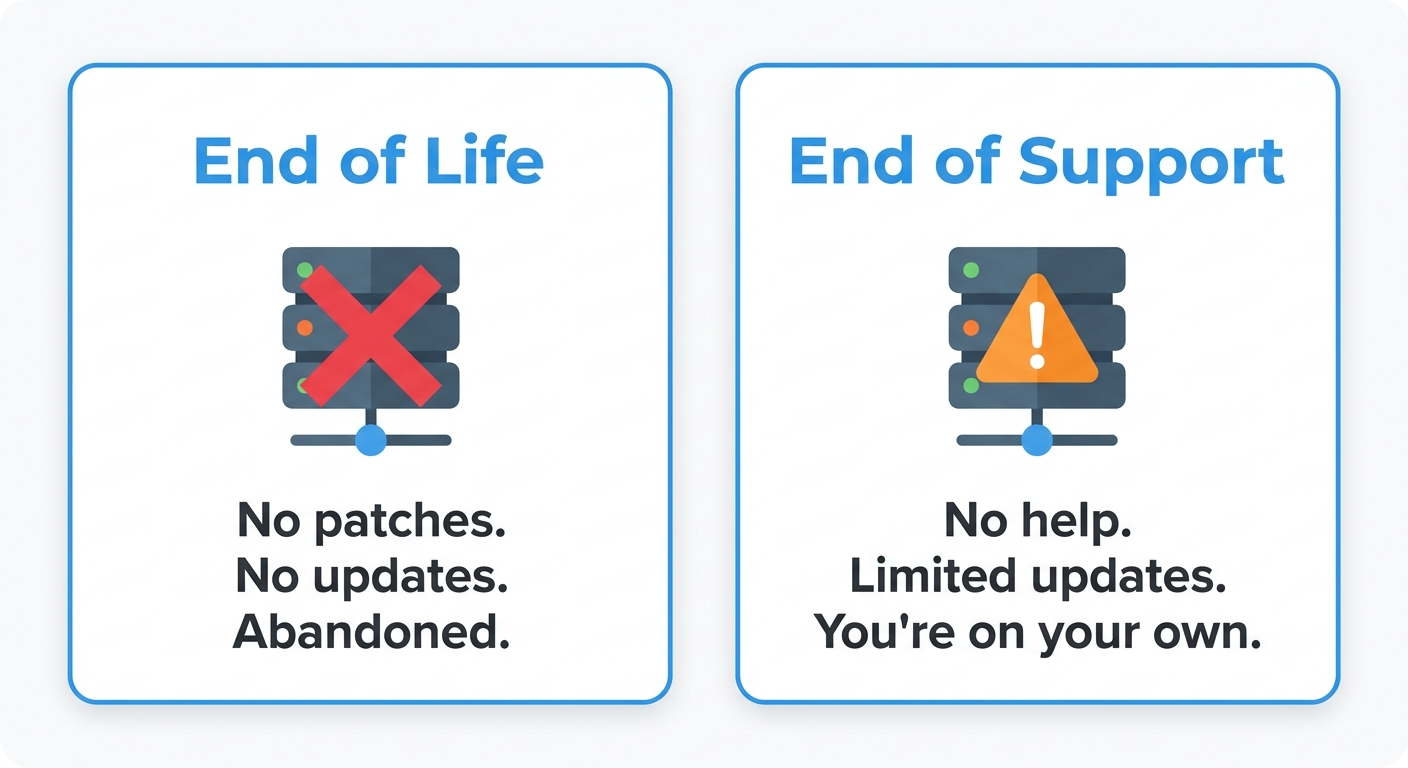
At a high level, both terms mark a reduction or an end in the maintenance and support available for a product or version. Exactly what stops, and when, depends on the vendor’s or project’s lifecycle policy.
That caveat matters more than it sounds. There is no universal industry definition of EOL or EOS. Vendors and open source projects apply these labels – along with end of maintenance, end of standard support, extended support, and sustaining support – to mean different things. Before you assess your risk, confirm what updates, assistance, and extended coverage your specific vendor still offers.
End of Life (EOL)
EOL generally marks the end of standard maintenance for a product or version. After this date, the vendor or upstream project typically stops providing routine security patches, bug fixes, and other updates for that release. The affected version is no longer maintained through its standard upstream lifecycle, although extended vendor or third-party support may still be available. Common examples include CentOS 7, Python 2.7, and PHP 8.0.
End of Support (EOS)
EOS generally means that a defined support period or support tier has ended. Depending on the lifecycle policy, you may lose access to standard vendor assistance, the ability to open new support cases, troubleshooting help, or other services bundled into that tier. Whether security updates continue is a separate question: some vendors stop them entirely at EOS, while others make limited updates available through an extended support program.
End of Life vs End of Support: Key Differences
The terms get used interchangeably all the time, which is part of why teams end up confused about their real risk level. Here’s where they typically diverge.
Development Stops vs Support Ends
EOL generally ends active maintenance for a particular product or version. The vendor or upstream project stops producing routine security patches, bug fixes, and compatibility work for that release, even when newer versions remain under active development.
EOS is narrower. A defined support tier closes, and in some lifecycle models a separate extended support program still provides limited updates – but that’s an optional add-on, not a standard feature of EOS. Without extended or third-party coverage, more of the troubleshooting burden shifts to your internal team.
Unmaintained vs Self-Supported
EOL software is no longer maintained through the vendor’s or project’s standard lifecycle. Support across tools, integrations, and cloud platforms tends to decline over time as well.
With EOS, the software might still be in limited use, but without another support arrangement, more of the responsibility for keeping it running and patched shifts to your team.
Compliance Implications
Running EOL systems can create compliance challenges under requirements and frameworks such as PCI DSS, HIPAA, and ISO 27001, because maintaining the required security controls becomes progressively harder without ongoing security updates. EOS systems carry similar exposure depending on whether updates are still available. The specifics matter when you’re heading into an audit.
Note: Most open source projects and Linux distributions publish a single EOL date rather than defining a separate EOS milestone, though lifecycle terminology varies from project to project. The distinction shows up most often in the tiered lifecycle models used by vendors such as Microsoft, Oracle, and IBM, where support is split across multiple phases.
EOL vs EOS: Side-by-Side Indicators
Here’s a quick reference for the differences that matter most:
| Indicator | End of Life (EOL) | End of Support (EOS) |
| Standard vendor security patches | Typically ended for the affected version | Availability depends on the lifecycle policy |
| Technical support | Discontinued | Discontinued for the affected tier |
| Feature updates | Stopped | Depends on the lifecycle policy |
| Compliance status | Higher risk once security updates stop | Depends on available updates and compensating controls |
| Migration urgency | Usually higher, especially once security updates have ended | Depends on remaining update coverage and support needs |
Real-World EOL and End-of-Support Examples
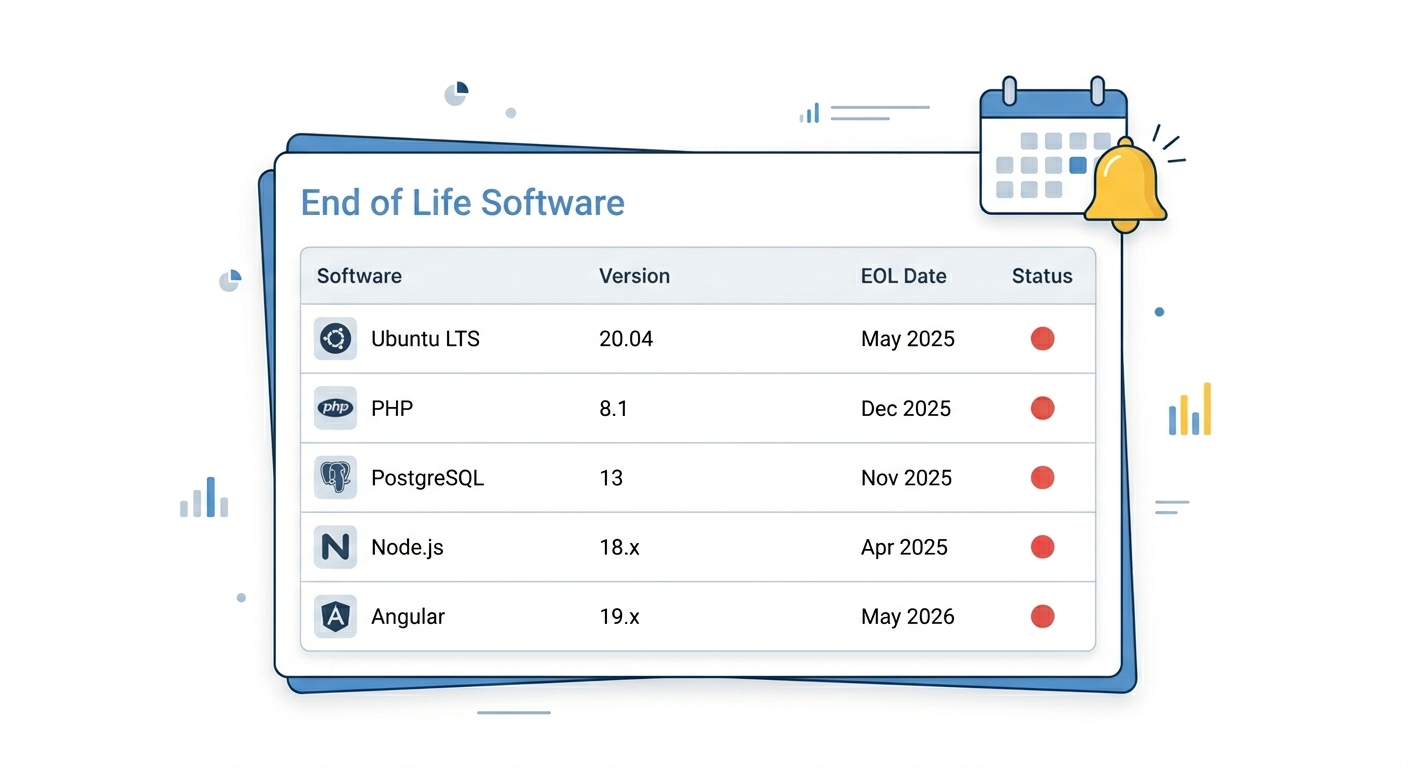
End of standard support. Ubuntu 18.04 reached the end of its standard support period on May 31, 2023. Teams that hadn’t migrated needed to upgrade, obtain extended coverage, or run without continued security updates. Ubuntu 20.04 LTS followed, reaching the end of its standard five-year support window on May 31, 2025, after which continued security maintenance became available through Ubuntu Pro’s Expanded Security Maintenance (ESM) program. ESM isn’t automatic – systems have to be attached to an Ubuntu Pro subscription to receive it.
End of life. PHP 8.1 reached EOL on December 31, 2025, and the PHP project no longer publishes security fixes for that branch. Applications still running it may accumulate unpatched vulnerabilities as new issues affecting the branch are discovered.
End of life. PostgreSQL 13 reached EOL on November 13, 2025. It’s the kind of database version that quietly powers a lot of production workloads, and teams running it can no longer rely on the PostgreSQL Global Development Group for security or bug fixes. They need to upgrade or find another source of coverage.
End of life. Node.js 18 went EOL on April 30, 2025, and Angular 19 followed on May 19, 2026 – two more categories most teams depend on without thinking about them much: JavaScript runtimes and web application frameworks.
You can also learn more about Knockout.js EOL and its security impact on legacy frontend applications in our in-depth guide.
Tiered lifecycle. Red Hat Enterprise Linux 7 shows the commercial pattern. It reached the end of its maintenance support phase on June 30, 2024, but Red Hat did not describe that as end of life. The release moved into an Extended Life phase, where certain critical security fixes remain available only through a paid Extended Life Cycle Support add-on. One date, two very different support realities depending on what you’ve purchased.
Why Do Vendors and Projects Declare EOL or EOS?
Vendors and open source projects set End of Life or End of Support milestones so they can shift resources toward newer, supported releases. Maintaining older release lines takes engineering, testing, and support capacity that would otherwise go to current versions. As systems age, they get harder to secure, harder to integrate with modern tools, and more expensive to keep upright.
By setting lifecycle deadlines, vendors and projects:
- Reduce accumulated technical debt
- Focus engineering effort on current, actively maintained products
- Move users toward supported, more secure versions
- Cut long-term maintenance and support costs
These deadlines make operational sense for the people shipping the software. They create real work for everyone still running the older versions.
EOL and EOS in Hardware
Hardware vendors typically define several lifecycle milestones – commonly End of Sale, End of Support, and End of Life – and the order and meaning of those stages vary by vendor.
As equipment moves through them, firmware updates eventually stop and replacement parts get harder to source, though the timing depends on the vendor’s policy. For critical infrastructure, that combination can increase both the risk and the potential duration of downtime if something fails. Whether it’s software or hardware, tracking these dates lets you plan ahead rather than scramble.
Risks of Ignoring EOL and EOS
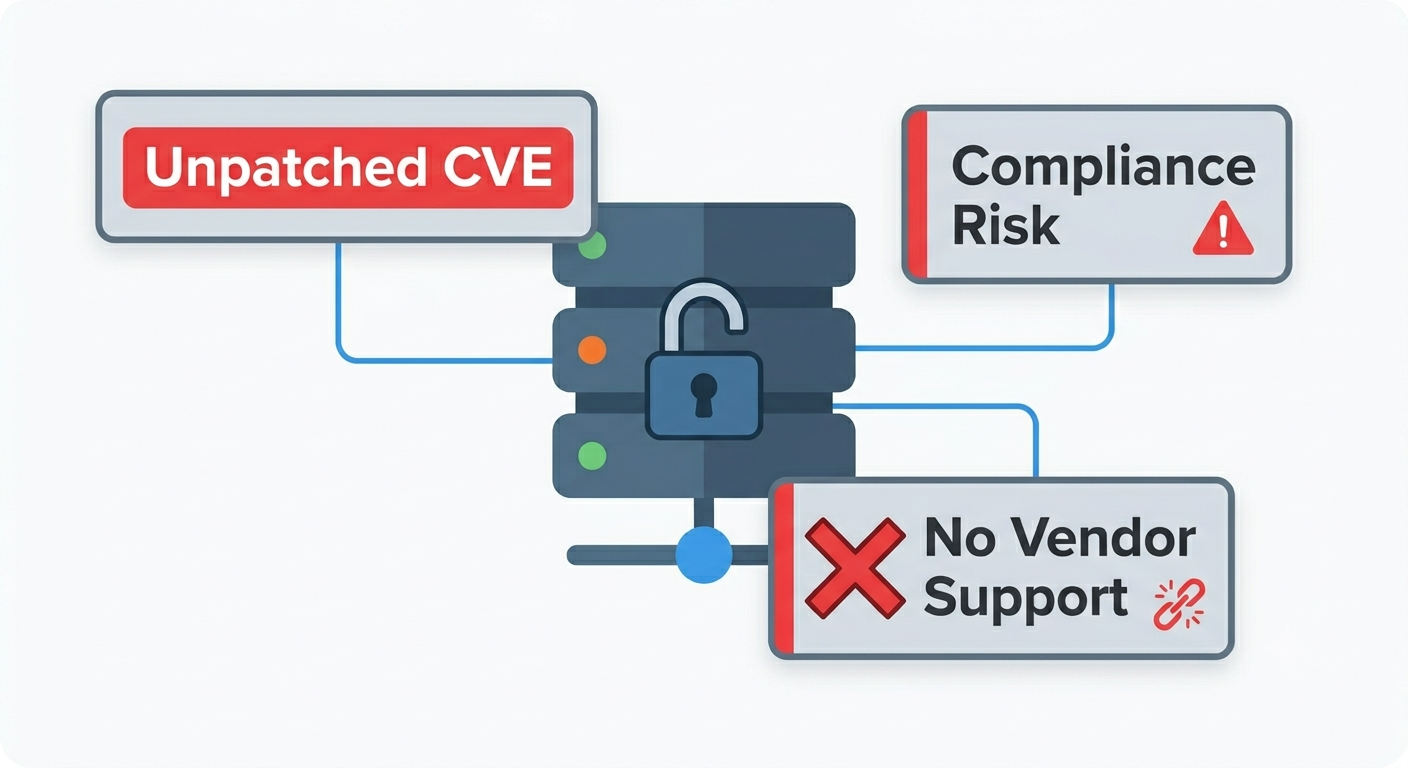
Running unsupported Linux systems often feels fine right up until it isn’t. Here’s what you’re actually risking.
Security Vulnerabilities
Once upstream updates stop, newly discovered vulnerabilities affecting that version can stay unpatched indefinitely unless you upgrade, apply compensating controls, or obtain extended support. Publicly exposed systems running known-vulnerable, unsupported versions are also easier for attackers to identify and target. The longer those vulnerabilities sit unaddressed, the higher the odds that one of them gets used.
Compliance Failures
Most security standards require organizations to manage vulnerabilities and maintain secure systems. Running unsupported software makes meeting those requirements significantly harder. It can generate audit findings, or force you to document additional justification and compensating controls, depending on which requirements apply to you.
Downtime and Recovery Costs
Outdated systems with no vendor support are harder to recover when things go wrong. Without official patches or vendor assistance, diagnosis and recovery can take longer, and improvised fixes carry their own risk. Recovery gets expensive fast.
Missed Innovation
Beyond security, unsupported systems can lose compatibility with newer tooling, automation platforms, and integrations. That gap compounds. Engineering efficiency drops, infrastructure costs creep up, and the eventual migration gets harder the longer you wait.
Solutions to Manage End of Life and End of Support
Hitting EOL or EOS doesn’t mean you’re immediately in crisis. You have options, and the right one depends on your timeline, budget, and risk tolerance.
If your applications are portable and you have the testing capacity and budget, migrate or upgrade now. If migration is blocked by application compatibility, a vendor dependency, or a change freeze, put extended lifecycle support in place and use the time it buys to plan properly. If you’re dealing with a handful of legacy systems that have no viable upgrade path, segment them, restrict access, and monitor closely while you work out a replacement. Most teams end up doing two of these at once.
TuxCare’s Endless Lifecycle Support
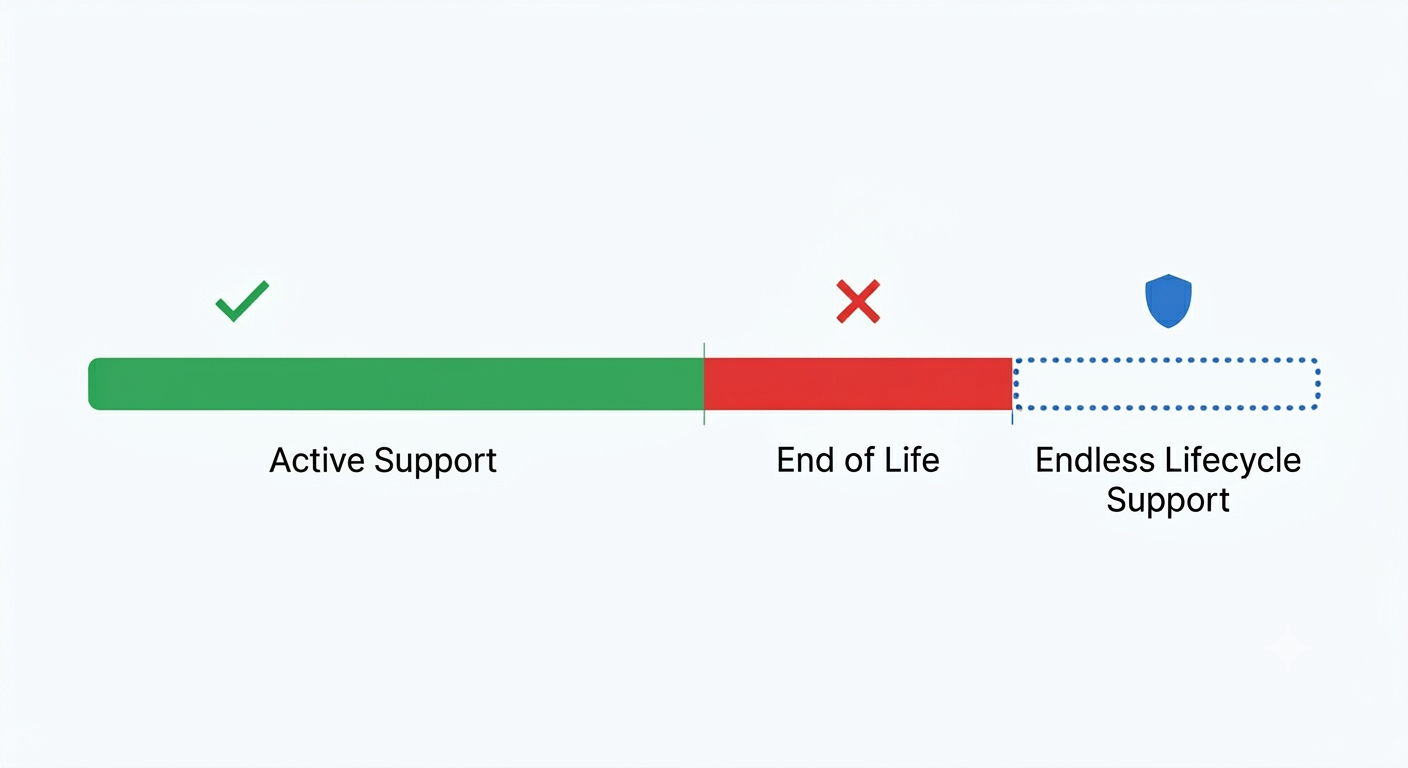
For teams that can’t migrate immediately, extended lifecycle support is often a practical near-term option. According to TuxCare’s Open Source Landscape Report 2026, 50.2% of organizations handling EOL components in production said they use extended lifecycle support or vendor patching, ahead of migration (43.9%) and upgrades (41.0%). The responses add up to more than 100%, which suggests most organizations run these approaches in parallel rather than picking one.
TuxCare’s Endless Lifecycle Support (ELS) delivers ongoing security patches for end-of-life Linux distributions, including CentOS 6, CentOS 7, CentOS 8, CentOS Stream 8, Oracle Linux 6, Oracle Linux 7, RHEL 7, Ubuntu 16.04, Ubuntu 18.04, Ubuntu 20.04, Debian 10, Debian 11, Alpine Linux 3.18, and Amazon Linux 2.
Depending on the distribution, patch coverage can include components such as the Linux kernel, glibc, OpenSSL, Apache HTTP Server, and MySQL. It’s a way to address vulnerability management and compliance requirements without rushing a risky migration.
Coverage extends to the application and data layer as well: Apache Tomcat, Eclipse Jetty, PostgreSQL, MySQL, Apache Kafka, OpenSearch, and Grafana, among others. If you’re running PostgreSQL 13 after the November 2025 EOL date mentioned earlier, that’s the same service.
You can also learn more about Eclipse Jetty EOL and how extended support protects your web servers in our in-depth guide and check TuxCare’s CVE tracker to see the full list of covered packages and track fix availability across supported products.
Migrate or Upgrade to a Supported Version
When the timeline allows, moving to a supported operating system or software version is the right long-term answer. You get ongoing security updates, new features, and vendor support. But migrations take time, testing, and budget. Compatibility issues with older applications are common, especially on systems that have been running for years. That’s not always practical on short notice.
Use Containers to Support Migration
For legacy systems that can’t be upgraded quickly, packaging compatible applications in containers using tools such as Docker or Podman can simplify deployment and support a future migration. Containers don’t eliminate the underlying vulnerabilities or provide a strong security boundary on their own, though. Treat them as a migration aid, not a security fix.
How to Track EOL and EOS Dates Proactively
Knowing your systems are approaching EOL or EOS before they get there is half the battle. The good news is you don’t have to manually track vendor announcements across every piece of software you run.
endoflife.date is a useful free resource for this. It aggregates lifecycle dates for hundreds of software projects and Linux distributions in one place. Because it’s community-maintained, confirm any date you’re planning around against the vendor’s or project’s official lifecycle documentation.
On that note, most major vendors publish official lifecycle pages. Red Hat, Canonical, Debian, AlmaLinux, and Rocky Linux all maintain public schedules for their distributions. If you’re running something less mainstream, check the project’s release documentation directly.
A few practical habits that help:
- Set calendar reminders 12 and 6 months out from known EOL dates
- Record lifecycle status in your CMDB or asset tracking tool
- Make EOL review a standing item in infrastructure planning cycles
EOL and EOS Best Practices
When a Linux system hits EOL or EOS, the goal is to reduce exposure and buy time for a migration that doesn’t break things. These are the operational habits that make either path work.
Implement Extended Support
If you take the extended support route, put it in place before the cutoff date rather than after. Validate the provider’s patch coverage against your actual package list, confirm the response time commitment for critical CVEs, and document the arrangement as a compensating control. Auditors will ask.
Isolate Unsupported Systems
Place EOL and EOS systems in segmented network zones. Apply strict firewall rules, disable services that aren’t needed, require multi-factor authentication at the relevant access points such as VPNs, identity providers, and administrative gateways, and watch for anomalies. Effective segmentation can limit lateral movement and reduce the impact if a system is compromised.
Start Migration Planning Now
Extended support should not replace long-term lifecycle planning. Use the time it buys to plan the migration properly: evaluate supported distributions, map application dependencies, and build a phased plan that doesn’t require a weekend scramble. The more breathing room you have, the better the outcome.
EOL and EOS Don’t Have to Be Roadblocks
Reaching End of Life or End of Support doesn’t mean you’re out of options. With the right coverage in place and a clear plan, organizations can reduce the security, compliance, and operational risks of running legacy systems while preparing for migration.
The mistake is treating EOL or EOS as something to deal with later. Whether that means extended lifecycle support, isolation, or migration planning, the earlier you start, the more control you have over the outcome.