
 Tech Support
 Documentation
 Login
 Contact Us


Go straight to an AI summary of this blog post instead 


- Linux downtime occurs when systems or services become temporarily unavailable.
- Even planned downtime carries real costs in productivity, revenue, and security exposure.
- Automated live patching removes the need for reboots, enabling continuous uptime and faster patch deployment.
In enterprise environments where uptime equals revenue, even brief Linux reboots can cause major disruption. The routine sysadmin activities like patching cycles, maintenance windows, and post-reboot checks quietly drain productivity, delay operations, and increase the risk of missed security updates. Every minute of downtime can have a significant impact on customer experience, SLA performance, and overall business performance.
This article breaks down the true cost of Linux downtime — from the hidden expenses of maintenance windows to the security risks of delayed patching — and explains how live patching can help organizations eliminate patching-related downtime entirely.
What Causes Linux Downtime?
Linux systems experience downtime not only due to crashes or outages but in most cases, it is caused by updates. Frequent kernel and library updates require rebooting which consequently causes short but frequent interruptions. The Linux kernel is responsible for managing memory, CPU, and hardware. When this core component gets updated, the server has to restart in order to load the new kernel image correctly. Hence, this entire process becomes a source of unavoidable interruption of services.
Some common sources of Linux downtime include:
- Kernel updates and security patches that demand restarts.
- Scheduled maintenance windows for OS or application upgrades.
- Hardware replacements or configuration changes that take services offline.
- Unexpected dependency or service failures during reboots.
Even when downtime is scheduled, such events disrupt critical workloads, delay batch jobs, and impact end users.
The Hidden Costs of Linux Downtime
Lost Productivity
Every reboot or maintenance window means losing valuable staff time. System administrators must plan downtime, execute patching, and verify post-reboot stability. When dozens or hundreds of servers are involved, this turns into a repetitive cycle that can eat up entire workdays each month. Teams spend hours waiting for systems to restart, reloading services, and troubleshooting post-reboot issues. This inefficiency diverts skilled IT professionals away from innovation, optimization, and automation projects. Over a year, this maintenance drag becomes a significant loss of operational productivity and project velocity.
Revenue and Customer Impact
For customer-facing services, just a few minutes of downtime can directly impact business outcomes. E-commerce platforms risk abandoned carts, SaaS providers face service-level agreement (SLA) penalties, and financial institutions have no transactions due to unavailability. In sectors where uptime defines reputation, customers expect 24/7 availability — and notice immediately when systems go offline.
Maintenance windows that are poorly-timed or repeated can drive away users, leading to bad reputation and a decrease in brand credibility. These financial and reputational damages extend far beyond the IT department, affecting sales performance and long-term customer loyalty.
Security Exposure from Delayed Patching
Downtime is often necessary for kernel patching, thus teams end up postponing updates to avoid disruption. Such a delay opens a vulnerability window that can last for days to weeks — precisely the period attackers exploit. Not only does delayed patching increase the likelihood of data breaches, but it also weakens the organizations’ compliance with regulatory frameworks such as PCI DSS, HIPAA, or FIPS.
Once a security incident occurs, the costs escalate sharply: incident response, forensic analysis, remediation, and potential fines. Ironically, the avoidance of a brief downtime window often results in recovery after an attack taking much longer, even exponentially greater in terms of downtime.
Operational Overhead and Planning Costs
Maintenance windows whether planned or otherwise can add up to huge operational overheads. It is a must for IT teams to coordinate with different departments, to schedule downtime during hours with low traffic, to notify stakeholders, and to obtain change management approvals.
In mission-critical environments, maintenance requires complex sequencing to guarantee system stability and to be ready to rollback in case of unforeseen issues. Each of these steps represents hidden costs — time spent not on innovation but on risk mitigation. Over time, these repetitive coordination efforts accumulate into hundreds of staff hours per year, creating a consistent drag on IT efficiency.
Calculating the Real Cost of Linux Downtime: A Quick Breakdown
To move beyond anecdotal costs, enterprises must utilize a comprehensive model to determine the true financial exposure of system interruption. A simple way to estimate downtime impact is:
Total Downtime Cost = Direct Lost Revenue + IT Labor Cost + Risk Exposure Value + SLA Penalties + Recovery Overhead
Risk Exposure Value is the most difficult part of the equation to be modeled correctly. It is the part that assigns a monetary value to the security event that occurs when the IT department intentionally delays the installation of security patches. Nevertheless, if working on the labor cost only, the company often sees it as an eye-opener right away.
Calculating the total hours consumed by the highly paid SysAdmins, developers, and project managers — during, before, and after every kernel reboot — immediately shows that the operational burden is a large and continuous “Downtime Tax.” Any solution that can reduce the time component to zero provides immediate and substantial Return on Investment (ROI).
Many industry studies have reported that the average cost of IT downtime can vary between thousands to tens of thousands of dollars per minute, depending on the importance of the services affected. A 2016 report from Ponemon Institute estimated the average cost of IT downtime to be $9,000 per minute. Even if your organization is facing less of these, the cumulative effect of regular Linux reboots across a distributed environment can quietly turn into a major cost center.
Why Linux Reboots Are Still a Problem
Reboots are often seen as an unavoidable part of system maintenance, especially when it comes to kernel patching. Every kernel update requires a reboot to load the new version into memory. While that may seem harmless, the downtime required to restart servers, verify services, and re-synchronize clustered systems can easily extend from minutes to hours. During this period, applications are on hold, transactions fail and users are unable to access the system.
In clustered or virtualized environments, the impact multiplies. Rebooting one host may trigger cascading downtime across dependent services, creating temporary instability across production workloads. For organizations with strict uptime requirements, coordinating staggered restarts and failovers adds operational complexity — and risk.
In the end, reboots are still one of the few factors that cause predictable downtime in Linux environments. They are not the result of hardware failure or software bugs — rather they are a part of the overall maintenance process itself. This is why eliminating reboot requirements has come to rank among the top priorities set by organizations that consider maximizing uptime and security simultaneously.
The Live Patching Advantage: Eliminate Downtime Entirely
Live patching changes how Linux systems are maintained by removing the need for reboots after kernel updates. Instead of taking servers offline, security patches are applied directly to the running kernel — keeping systems secure, compliant, and continuously available.
With live patching, IT teams no longer have to schedule maintenance windows or wait for off-peak hours to deploy updates. Patches are injected seamlessly while workloads continue running, and the system remains stable throughout the process. This means zero disruption to users, applications, or production environments.
TuxCare’s KernelCare allows organizations to automatically apply critical kernel patches in real time — without rebooting or interrupting workloads. Patches can be deployed as soon as they become available, reducing the window of vulnerability that typically exists when updates are postponed. This allows organizations to stay compliant with regulatory standards that demand timely patching — without sacrificing availability.
KernelCare supports most major enterprise Linux distributions, including RHEL, CentOS, AlmaLinux, Rocky Linux, Oracle Linux, CloudLinux, Ubuntu, Amazon Linux, and more.
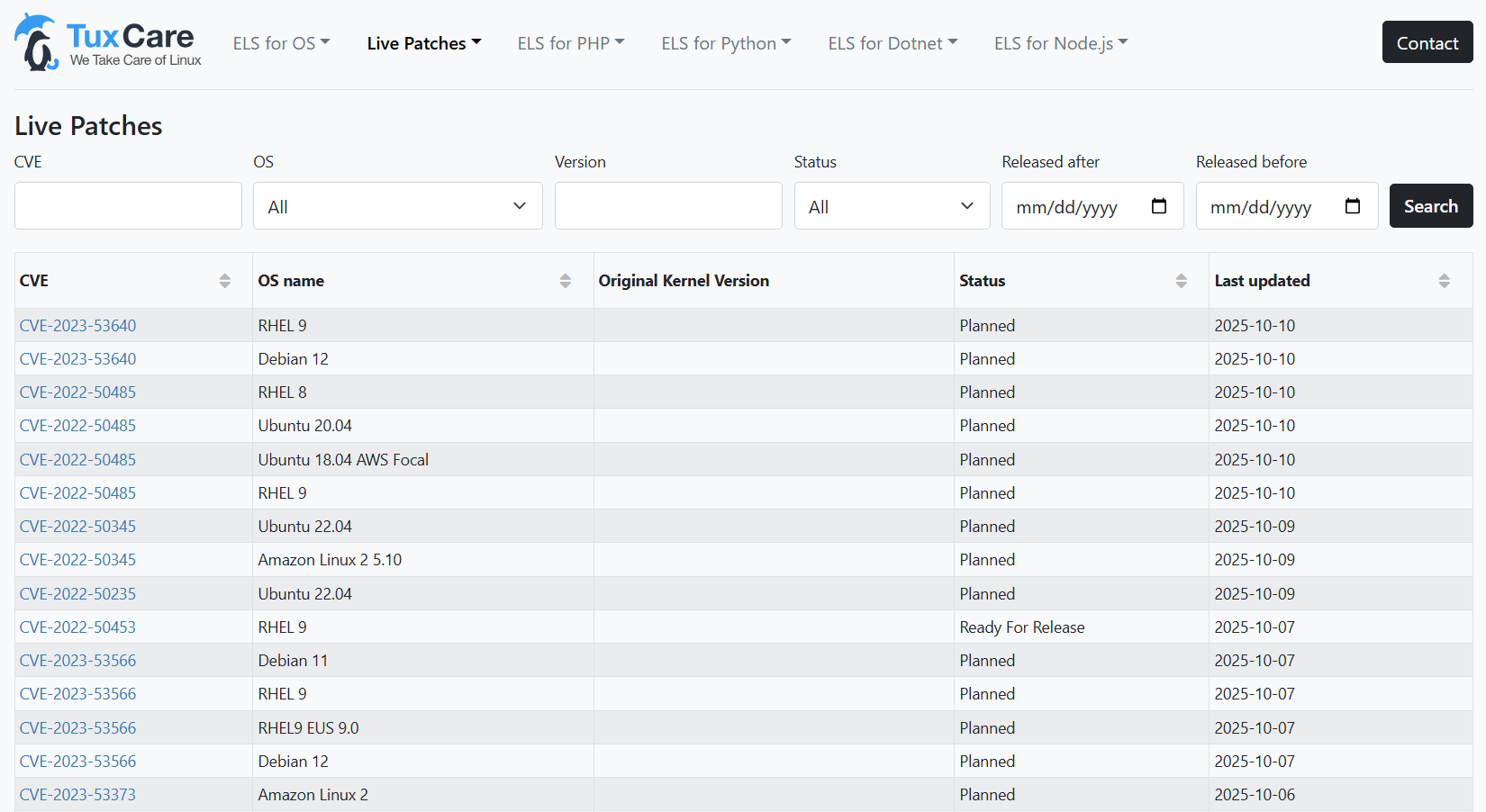
Visit TuxCare’s CVE dashboard to see a detailed view of Linux kernel CVEs, showing which vulnerabilities have been patched across all supported distributions.
Rebootless Linux Kernel Patching with KernelCare
Downtime isn’t just an inconvenience — it’s a recurring cost that affects productivity, customer experience, and security. Traditional patching models that depend on reboots are no longer practical for modern, always-on infrastructures.
By adopting live patching, organizations can eliminate planned downtime, close vulnerability gaps faster, and free IT teams from repetitive maintenance cycles. Live patching is a foundational investment for any business committed to 100% availability and proactive security at scale.
With TuxCare’s KernelCare and LibCare add-on, you can apply kernel and shared-libraries (glibc and OpenSSL) patches automatically — without reboots, service interruptions, or maintenance windows.

