Tech Support
 Documentation
 Login
 Contact Us


Go straight to an AI summary of this blog post instead 


Key Takeaways
- KernelCare applies security fixes to a running kernel without reboots or service interruptions.
- Onboarding KernelCare live patching involves a simple installation process with a single command.
- KernelCare enables the automated deployment of live patches to all major Linux distributions.
Most Linux kernel security updates require a system reboot. To avoid service disruption, IT teams schedule these reboots during maintenance windows, often late at night or on weekends to avoid impact on users.
While teams wait for a scheduled window, systems remain exposed. Known vulnerabilities stay unpatched, creating a gap between when a fix is available and when it is applied. Security teams want to patch immediately. Operations teams must protect uptime. This tension slows response and increases risk.
Live patching addresses this problem. It applies security fixes to the running Linux kernel without stopping the system or restarting services.
This article explains what onboarding KernelCare looks like in practice and what organizations can expect when implementing rebootless patching with TuxCare.
Common Concerns Before Implementing Rebootless Patching
Teams understand the value of rebootless patching, but they often hesitate due to operational risk.
Kernel Stability
Some administrators worry that applying changes to a running kernel could cause crashes or undefined behavior. Traditional kernel updates require reboots. Removing this step may feel unsafe to those used to standard maintenance.
Control and Timing
Security teams want fast patching, but operations teams need predictable change management. Automated updates can raise fears of changes occurring without review or outside of approved windows.
Rollback Capabilities
If a patch causes a problem, teams need an immediate way to reverse it. Without a clear rollback path, live patching feels more risky than a traditional reboot-based process.
Complex Environments
Practical limits often exist in enterprise setups. Air-gapped networks, strict compliance rules, and phased rollout policies make teams question if rebootless patching fits their existing workflows.
What You Actually Deploy When You Onboard KernelCare
Onboarding KernelCare introduces a small number of components that work together to deliver live patches without interrupting running services.
The Client Application
You install a lightweight client application on each machine. It checks for new patches every 4 hours, verifies them, and applies available patches to the running kernel. The process does not require reboots or service restarts and runs quietly in the background.
You can also run the update manually using the following command:
# kcarectl --update
The kcarectl utility lets administrators view patch information, download and apply patches, and list applied patches.
You can find all the available command-line options in the documentation.
The Patch Source
The KernelCare agent needs a source to find and download updates. You have two options:
TuxCare Portal: A cloud-based repository hosted by TuxCare. This is the default choice for most users.
ePortal: A web management console for KernelCare that allows you to distribute patches to servers without internet access.
Step-by-Step: What the Onboarding Process Looks Like
Step 1: KernelCare Installation
Installating KernelCare requires a single command as a root user. You can use curl or wget to get the installer from the TuxCare servers.
# curl -s -L https://kernelcare.com/installer | bash
The script installs the agent and registers the device. This process takes a few minutes.

Step 2: Activate the Product
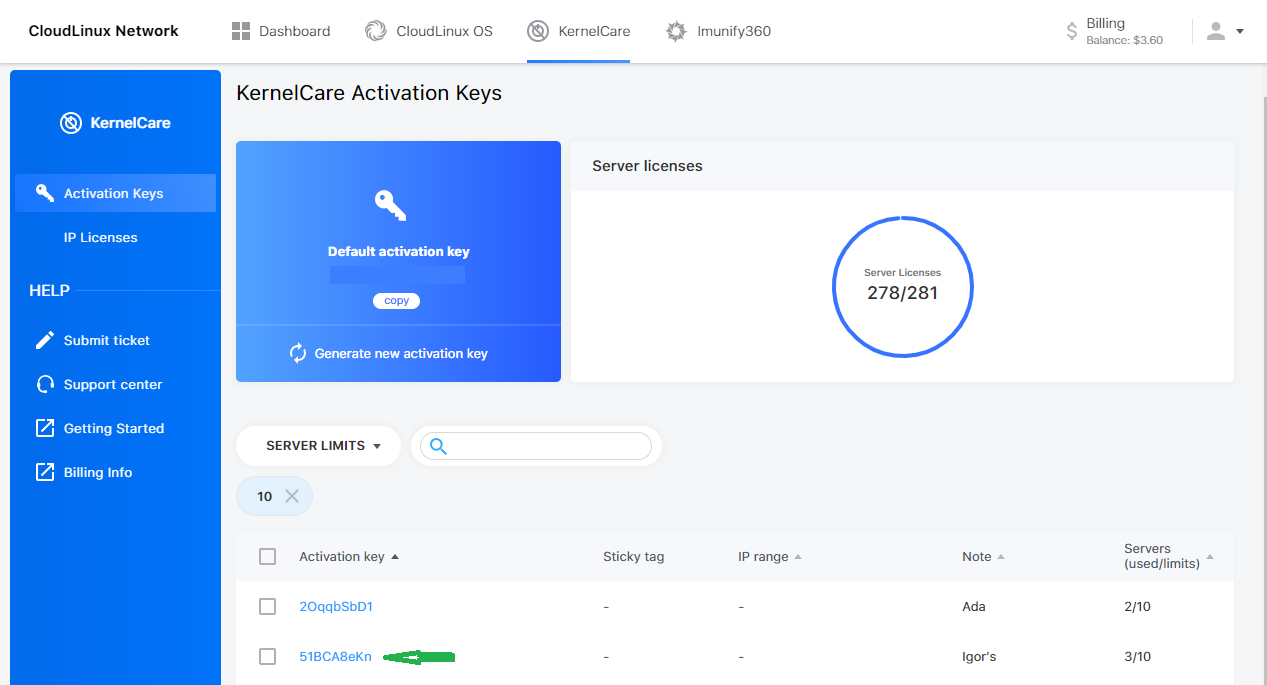
To activate KernelCare, you need a license. There are two types: IP-based and key-based.
- IP-based licenses are tied to a specific IP address and will run automatically if the address matches.
- Key-based licenses require registration using an activation key. Use the command below to register a key.
# kcarectl --register <KEY>
Replace <KEY> with the registration code you receive when you sign up for a trial or purchase KernelCare.
Getting Free Trial
You can request a free trial activation key, which is valid for 14 days. During this period, you can try all features of KernelCare live patching on your systems.
Step 3: Patch Detection and Application
Once active, KernelCare checks for updates automatically. When a matching patch is available, it is downloaded, verified, and applied to the running kernel. Systems remain online and continue normal operation while the vulnerability is addressed.
Step 4: Validation and Rollout Control
You can verify the patch status via the command line or the ePortal dashboard. If you use ePortal, you can gradually roll out patches according to your patching policy.
What Happens When a New Kernel CVE Is Disclosed
When a new kernel CVE is disclosed, time becomes the main risk factor. The longer systems remain unpatched, the larger the exposure window. The patching process begins the moment a security vulnerability becomes public. TuxCare follows a strict workflow to move from disclosure to deployment.
Monitoring and Analysis
The TuxCare security team monitors kernel advisories and vendor updates continuously. When a new CVE appears, engineers analyze the official fix. They then create a live patch for the affected kernel versions. The patch is limited to the specific vulnerability. It does not include feature updates or unrelated changes.
Testing Tiers
KernelCare delivers patches through three tiers:
- Internal Tier: Engineers test the patch on an internal server to ensure stability.
- TuxCare Portal: The patch moves to the public repository for general use.
- ePortal: Patches reach ePortal last. It allows enterprise customers to follow a gradual rollout policy if they choose.
Throughout this process, patch health is monitored internally. If issues appear, the delivery of a patch can stop before it reaches ePortal servers.
Response Time Expectations
TuxCare aims to deliver live patches for vendor-fixed kernel vulnerabilities within 10 days of public disclosure. This approach reduces exposure time while preserving control and stability in production environments.
Beyond the Kernel: Extending Coverage with LibCare
Kernel vulnerabilities are not the only threat to your systems. Security flaws often appear in shared libraries that applications use every day. Traditionally, patching these libraries requires you to restart every application that depends on them.
Live Patching for Shared Libraries
LibCare is an optional add-on to KernelCare that extends live patching to these critical shared libraries.
glibc: The standard C library used by most Linux applications
OpenSSL: The library that handles encryption and secure communications.
Without LibCare, a glibc update requires a full system reboot. An OpenSSL update requires you to restart web servers, databases, and mail services. LibCare removes this requirement. Your applications continue to run while they receive the security update. This keeps your services available to users while you close security gaps.
Supported Environments & Real-World Compatibility
KernelCare is designed to work across a wide range of Linux distributions and kernel versions.
Broad Distribution Support
KernelCare supports dozens of Linux distributions, including popular enterprise platforms such as RHEL, CentOS, AlmaLinux, Rocky Linux, Ubuntu, Debian, Oracle Linux, Amazon Linux, and CloudLinux. This wide coverage allows teams to use a single live patching approach across mixed environments.
Hardware and Architecture
KernelCare is compatible with the two most common server architectures:
- x86-64: Standard Intel and AMD processors found in most data centers.
- ARM64: Increasingly common in modern cloud environments and energy-efficient workloads.
Custom and Hardened Kernels
Some organizations use custom or hardened kernels to support specialized hardware or performance requirements. TuxCare can extend live patching to these unique environments by developing and maintaining kernel-specific patches that align with existing configurations.
Learn more about Custom Kernel Engineering.
Operational Impact After Onboarding: What Changes
Once you activate KernelCare, patching shifts from a reactive task to an automated process. Understanding these changes helps your team adjust their workflows.
Maintenance Windows: You no longer need to schedule downtime for every kernel CVE. Live patching allows you to apply security fixes without immediate reboots. Maintenance windows become a planning choice for kernel upgrades or hardware changes, rather than a security patching.
Workload Distribution: Systems administrators spend less time on manual patching. Teams move away from late-night reboot sessions and regain time for planned work during normal business hours.
Vulnerability Exposure: KernelCare checks for updates continuously and applies available patches automatically. This reduces the time systems remain exposed after a kernel vulnerability is disclosed.
Is Rebootless Patching Worth It in Practice?
Transitioning to rebootless patching removes the friction between security and uptime. The KernelCare onboarding process is simple, requiring only a single command. Once live patching is in place, the operational benefits become clear. Systems receive security updates without service interruptions, and exposure to vulnerabilities is significantly reduced.
For any organization running more than a handful of servers, the shift from manual reboots to automated live patching is a fundamental improvement to operational health.
TuxCare’s KernelCare also supports compliance efforts by helping organizations meet patching requirements defined by standards such as PCI DSS and HIPAA. While reboots are still needed for kernel upgrades or hardware changes, they are no longer driven by every security patch applied.
Ready to see KernelCare in action? Request a free trial to experience automated, rebootless patching on your Linux systems.