Tech Support
 Documentation
 Login
 Contact Us



Go straight to an AI summary of this blog post instead 


Key Takeaways
- Open-source scanners cover almost every attack surface, but no single tool covers all of them, so most teams run two or three.
- Free scanners can still leave real validation and prioritization work to your team, so budget time to interpret what they report.
- Match the scanner to the assets you actually run instead of picking whatever tops the popularity lists.
- For Linux fleets, TuxCare Radar is a commercial layer that proves what’s actually patched rather than adding another scanner to the pile.
Run a scan on a Linux server and the result is usually familiar: a wall of CVEs, almost no context, and no clear answer to what you should fix first. That’s the real friction with vulnerability scanning. Finding flaws is the easy part. Separating the handful that matter from the hundreds that don’t is the work.
The good news is that open source does most of the heavy lifting for free. OpenVAS handles networks. Trivy covers containers, infrastructure as code, and software dependencies. ZAP and Nuclei take on web apps and APIs, OSV-Scanner digs through your dependency tree, and Lynis audits Linux hardening. Below is how these tools work, the categories they fall into, and where each one fits. We’ll also get into where open source runs out of road on Linux hosts, and how TuxCare Radar works alongside these tools to prove what’s actually been patched.
What Is an Open-Source Vulnerability Scanner?
An open-source vulnerability scanner is a security tool whose source code is published under an open-source license, so anyone can read it, modify it, and check how detection actually works. Open source describes the license rather than the price tag, though in practice nearly all of these projects are free to run.
What the scanner does next depends on the tool. Some match installed software and services against databases of disclosed vulnerabilities (CVEs). Others actively test running applications, execute detection templates, or audit system configuration against a set of rules.
In practice, that breaks down into three jobs. Discovery means mapping what is actually running, whether that’s hosts, open ports, packages, container images, or code dependencies. Detection means matching those assets against known CVEs, misconfigurations, and in some cases exposed secrets. Reporting means turning all of it into findings ranked by something useful, usually CVSS severity or a risk score, so you know where to look first. Not every finding maps to a patch, either. A hardening gap or a leaked key needs a different kind of fix.
Because the code is open, anyone can inspect the detection logic, write custom checks, and wire the scanner into a pipeline. That transparency is why these tools anchor so many vulnerability assessment programs and sit at the center of most open-source security strategies. The trade-off is ownership. You run the setup, the tuning, and the interpretation.
Worth knowing: more than 48,000 CVEs were published in 2025, roughly a 20% jump over 2024 and about 130 new vulnerabilities every day. (Source: cve.org)
Types of Open-Source Vulnerability Scanners
No single scanner covers everything. Open-source security tools specialize by attack surface, which is why most teams end up running a few side by side. Four categories cover the usual software and network surfaces, and a fifth matters a lot once you run Linux at any scale.
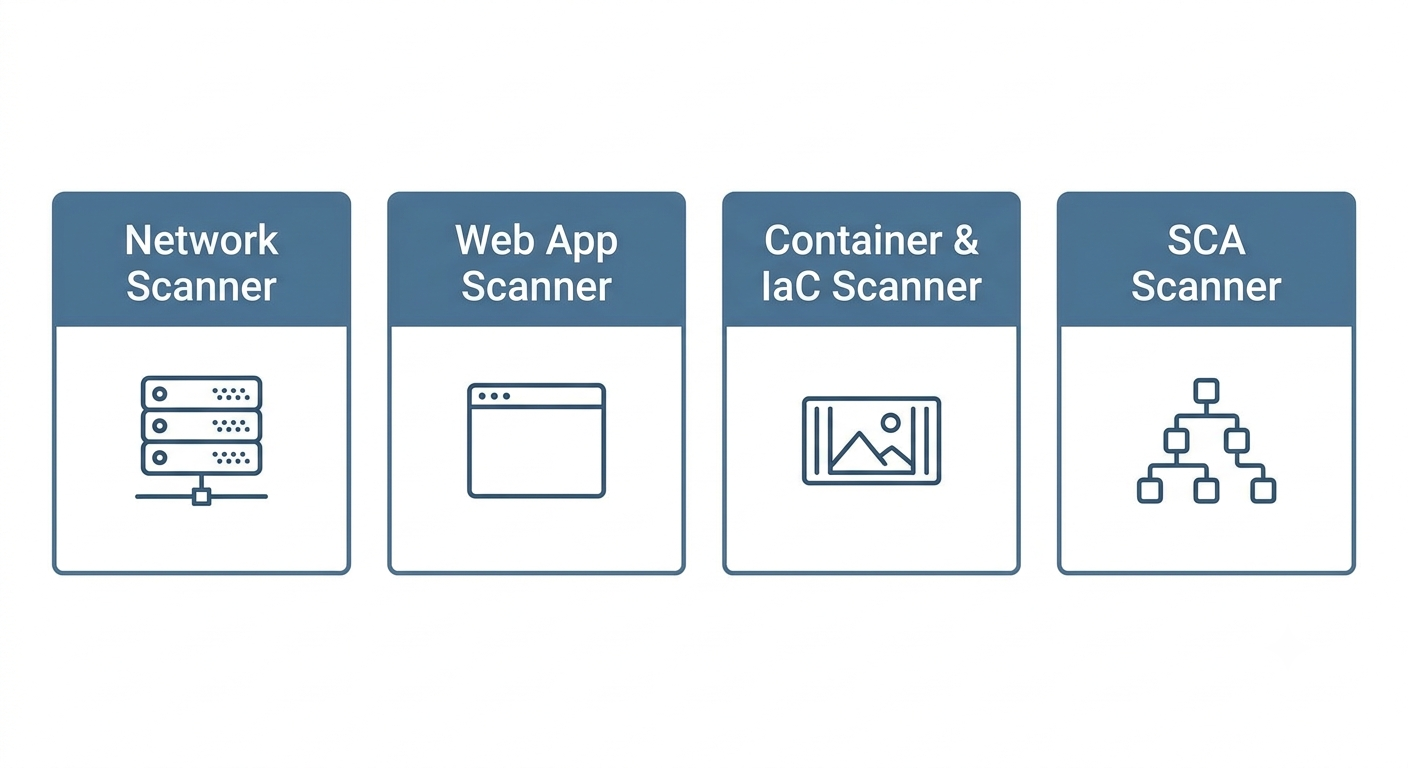
Network scanners probe hosts, servers, and devices across your infrastructure, checking open ports, running services, and exposed configurations against known CVEs. They surface unpatched services, weak protocols, default credentials, and ports nobody meant to leave open, which makes them the right fit for internal infrastructure, on-prem servers, and mixed-OS estates. OpenVAS leads here, usually with Nmap alongside it for discovery.
Web application scanners, also called DAST tools, test running sites and APIs the way an attacker would, crawling pages, submitting forms, and probing for injection and logic flaws. That’s where you catch SQL injection, cross-site scripting (XSS), broken authentication, and security misconfigurations. ZAP is the pick for interactive testing, Nuclei for fast template-based scanning at scale.
Container and infrastructure-as-code (IaC) scanners moved the work into the build pipeline. They inspect images, filesystems, and IaC templates before anything reaches production, flagging vulnerable OS packages, CVEs buried in container layers, leaked secrets, and misconfigured manifests. Trivy is the strongest open-source option here for most DevSecOps teams.
Software composition analysis (SCA) scanners deal with the fact that modern apps are mostly other people’s code. They map your dependencies and flag known issues in the libraries you pull in, which is the category that catches supply chain problems like Log4Shell. OSV-Scanner and OWASP Dependency-Check are the usual open-source choices, and Trivy doubles as an SCA tool if you already run it.
The fifth category is host hardening and compliance auditing. Tools like Lynis and OpenSCAP check system configuration against security baselines instead of hunting CVEs, which makes them the missing half of a lot of Linux security programs. Our roundup of Linux security tools covers how these fit together.
How These Tools Compare
| Tool | Best for | Stand-out feature | License | Price |
| OpenVAS by Greenbone | Network and infrastructure scanning | Daily updated Community Feed | Open source | Free (paid enterprise tiers) |
| Trivy | Containers, IaC, and SCA | One scanner for the whole pipeline | Open source | Free |
| ZAP by Checkmarx | Web app and API testing | Active and passive DAST scanning | Open source | Free |
| Nuclei | Fast template-based web and API scans | Community-written YAML templates | Open source | Free |
| OSV-Scanner | Dependency and lockfile scanning | OSV.dev dependency matching | Open source | Free |
| Lynis | Linux hardening and audit prep | Agentless host auditing | Open source | Free (paid enterprise tier) |
OpenVAS for Networks and Infrastructure
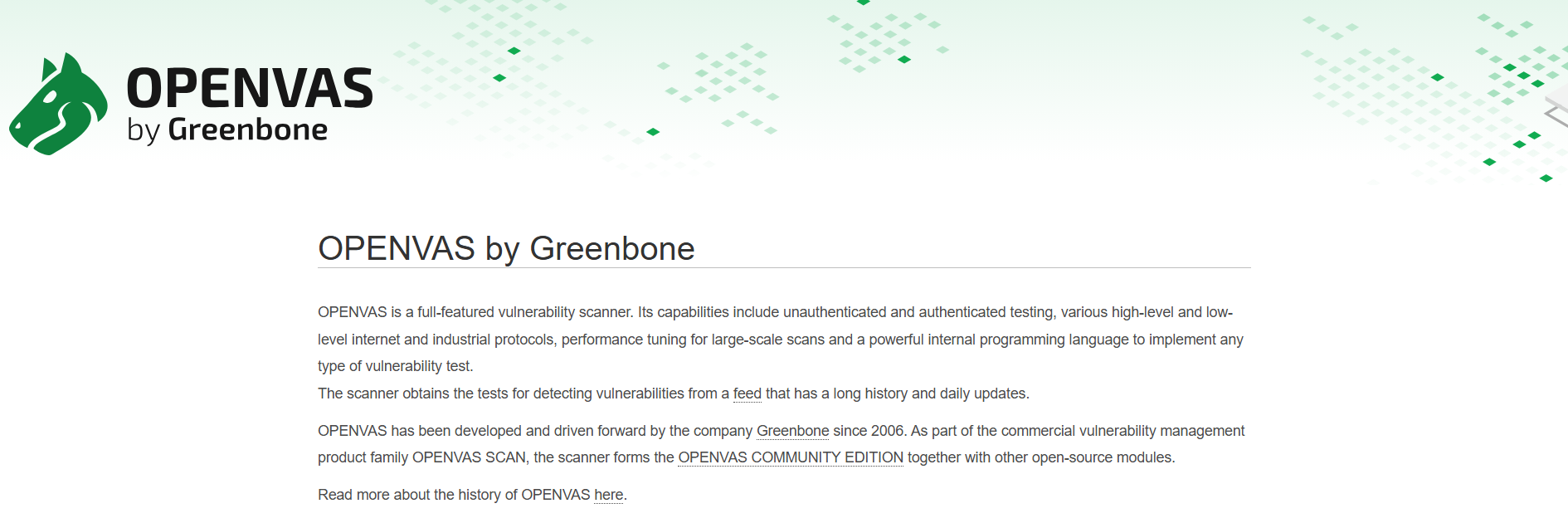
OpenVAS is the scanning engine at the heart of the Greenbone Community Edition, which Greenbone now markets as OPENVAS by Greenbone. It’s been around long enough that most security teams have run it at least once, and for good reason. It handles authenticated and unauthenticated scans across a wide range of hosts and services, backed by a vulnerability test feed with a very long history behind it.
Key Features
The feed is the main draw. The Community Feed updates daily and covers CVEs, misconfigurations, default credentials, and service-level weaknesses. Greenbone advertises more than 200,000 tests in its commercial Enterprise Feed, so read that number as the paid tier rather than what ships for free. Authenticated scanning logs into hosts for deeper detection than surface-level port checks, and the whole stack is self-hosted, so teams that want control over their scanning infrastructure get it.
Pricing
Free as the Community Edition. Greenbone sells appliances and subscriptions that add the Enterprise Feed, support, and managed deployment options.
Where It Shines
Deep, mature network coverage at no license cost. There’s a reason it has been the open-source network scanning standard for years.
Where It Falls Short
Setup and tuning take real effort. It can be resource-hungry and noisy without careful configuration, so budget time to learn it before you trust its output.
Who It’s For
Teams scanning on-prem infrastructure that want enterprise-grade coverage without enterprise licensing.
Trivy for Containers, IaC, and Dependencies
Maintained by Aqua Security, Trivy has become one of the most widely adopted scanners in cloud-native pipelines. It checks container images, filesystems, Git repositories, Kubernetes clusters, and IaC templates from a single binary, which means fewer integrations and less pipeline plumbing.
Key Features
One pass finds OS package CVEs, dependency issues, misconfigurations, leaked secrets, and license findings. It’s fast and light enough to drop into CI without much configuration, and it generates and scans SBOMs in CycloneDX and SPDX formats. Worth noting if phantom findings are your pet peeve: for anything installed by the system package manager, Trivy trusts the OS vendor’s advisory instead of upstream version numbers, specifically so backported fixes don’t get reported as vulnerabilities.
Pricing
Free and open source under Apache 2.0.
Where It Shines
One tool across containers, IaC, and dependencies. That’s most of what a DevSecOps team needs without running three separate scanners.
Where It Falls Short
It isn’t a network scanner or a web DAST tool. Trivy will happily scan hosts, filesystems, and Kubernetes clusters for package and configuration problems, but it doesn’t probe network services or exercise a running application the way OpenVAS or ZAP does.
Who It’s For
DevSecOps teams shipping containerized workloads through CI/CD.
ZAP by Checkmarx for Web Apps and APIs
ZAP started life as an OWASP project and is still what most people mean when they say open-source DAST. The project bills itself as the world’s most widely used web app scanner, and the name changes are worth a quick explanation.
ZAP left OWASP in September 2023 to join the newly formed Software Security Project in search of stable funding. That funding fell through, and in September 2024 the core team joined Checkmarx, which is why the project is now branded ZAP by Checkmarx. It’s still Apache 2.0, still open source, and still controlled by the ZAP Core Team.
Key Features
Passive checks flag cookie and CSP issues while you browse, then active scanning probes forms for SQL injection and XSS. Docker images, a full API, and CI hooks make it straightforward to automate. The same tool covers hands-on penetration testing and pipeline scanning, which is rare.
Pricing
Free and open source.
Where It Shines
Mature, flexible, and backed by an active community. Its long history in the OWASP ecosystem also makes it a natural fit for teams testing against the OWASP Top 10.
Where It Falls Short
Using it well takes real web security knowledge. The output needs interpretation, and a long list of alerts is not a prioritized action plan.
Who It’s For
Developers and pen testers securing web apps and APIs.
Nuclei for Fast Template-Based Scanning
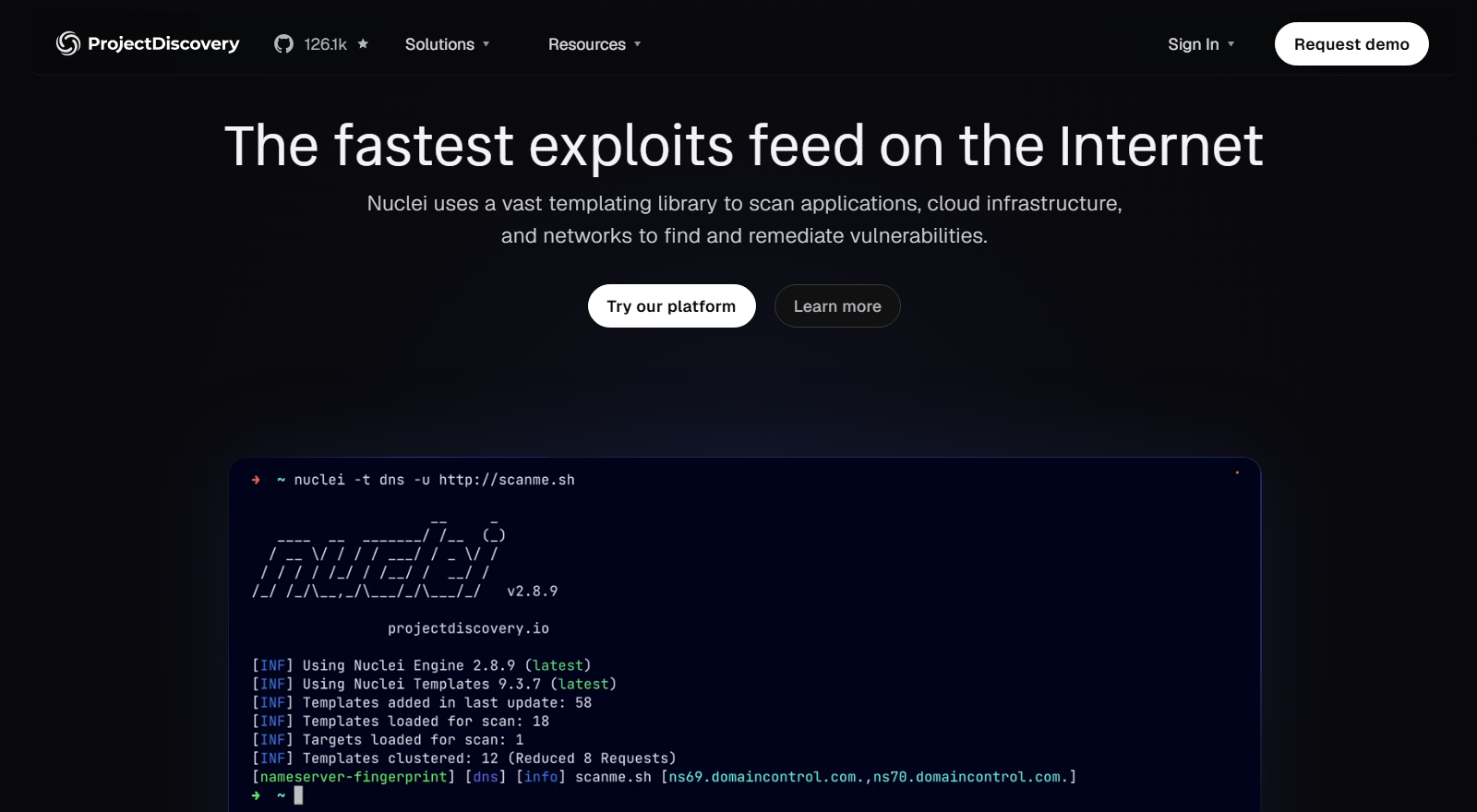
Nuclei, from ProjectDiscovery, takes a different approach. Instead of one monolithic test database, it runs YAML templates against web apps, APIs, and infrastructure, and the template library is community-written. The result is fast, very customizable, and constantly growing.
Key Features
Thousands of community templates, plus a short path to writing your own checks. It handles large target lists without breaking a sweat, which is why bug bounty hunters live in it, and it’s built for testing one specific issue across many targets rather than running broad, general-purpose scans.
Pricing
Free and open source. ProjectDiscovery sells a cloud platform built on top of it.
Where It Shines
Speed, customization, and a template library that picks up new CVEs quickly. When you need to check a single issue across hundreds of targets, little else comes close.
Where It Falls Short
The template library is younger than OpenVAS’s test feed, and detection quality depends on whoever wrote the template. You’re also responsible for knowing which templates matter in your environment, because Nuclei won’t tell you.
Who It’s For
Security researchers and teams that want fast, scriptable, targeted scans.
OSV-Scanner for Dependencies and Lockfiles
OSV-Scanner is Google’s dependency scanner, and it fills the gap most infrastructure-focused roundups skip. It reads lockfiles, source manifests, SBOMs, and container images, then matches what it finds against OSV.dev, which aggregates advisories from GitHub, PyPA, RustSec, distro trackers, and dozens of other sources.
Key Features
Coverage spans roughly a dozen language ecosystems and nineteen or more lockfile formats. Layer-aware container scanning for Alpine, Debian, and Ubuntu images tells you which layer introduced a package, and an offline mode keeps it usable in air-gapped environments. An experimental guided-remediation feature can suggest the dependency changes that clear the most risk, currently for npm and Maven. Call analysis goes a step further and checks whether your code actually reaches the vulnerable function, marking the ones it doesn’t as unexecuted. That’s on by default for Go, using govulncheck under the hood, and still experimental for Rust.
Pricing
Free and open source under Apache 2.0.
Where It Shines
Precision on dependencies. Version matching against OSV data is strict, the interactive HTML report is genuinely readable, and call analysis can cut noise that version-only SCA tools have no way to distinguish.
Where It Falls Short
It stops at code and container packages. No network scanning, no DAST, no host hardening, so it belongs beside other tools rather than in place of them.
Who It’s For
Application and platform teams that want an open, scriptable dependency check across a polyglot codebase.
Lynis for Linux Hardening and Compliance Audits
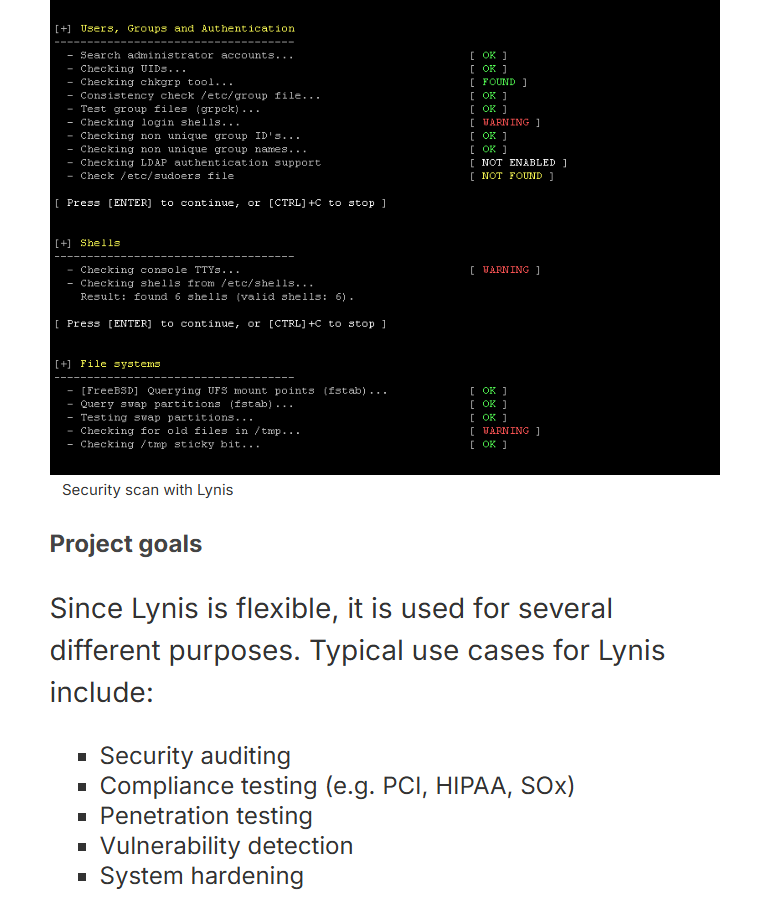
Lynis, from CISOfy, is a different animal. Where most scanners look for vulnerable software, Lynis audits how a system is configured, walking through hardening settings, authentication controls, logging, and filesystem checks on the host itself. It’s agentless and runs locally, which keeps things refreshingly simple.
Key Features
Hundreds of configuration checks against security best practices, with every warning and suggestion tied to a documented control ID. It assists with compliance testing for standards like ISO 27001, PCI DSS, and HIPAA, though the ready-made policies and centralized reporting auditors tend to ask for live in the paid Lynis Enterprise tier. Custom tests and profiles let you extend it or silence checks that don’t apply.
Pricing
Free and open source. CISOfy sells Lynis Enterprise for central reporting, compliance policies, and additional tests.
Where It Shines
It’s the fastest way to find out whether a Linux host is genuinely hardened, and the output doubles as evidence when someone asks you to prove it.
Where It Falls Short
Lynis isn’t a full CVE scanner. It does flag vulnerable packages when security updates are available, which is exactly what the PKGS-7392 control does, but the depth is nowhere near OpenVAS or Trivy. Treat it as configuration and hardening coverage, not vulnerability management.
Who It’s For
Linux and security teams that need hardening audits and audit evidence alongside their CVE scanning.
Where TuxCare Radar Fits In

TuxCare Radar isn’t open source, and its role here isn’t to hand you another scanner, which is why it sits outside the six above. It exists for a narrower question that both open-source and enterprise tooling struggle with on Linux: is this host actually patched, even when the security scanner says otherwise?
That gap comes straight out of how enterprise Linux works. Vendors backport security fixes into older package versions, so a box can be fully protected while its version string still looks vulnerable.
Rebootless patching protects a running system without changing the installed package version at all, and ELS keeps delivering backported fixes for releases upstream abandoned years ago. Scanners without the relevant vendor or patch context can keep reading those systems as exposed, and somebody on your team burns an afternoon proving otherwise.
Key Features
Radar reads the actual remediation state of the host, including vendor backports, rebootless patches applied by KernelCare, and Endless Lifecycle Support (ELS) updates, then distinguishes the remediation it can verify on the host from the findings that still need attention.
Prioritization weighs exploitability and confirmed patch state instead of raw CVSS, so the ranking reflects the host in front of you. The output is evidence you can hand to somebody else: PDF, CSV, and Excel exports plus shareable web links, with an API and a Model Context Protocol interface if you’d rather pull the data into a pipeline or ask for it in plain English.
It runs from a lightweight, agentless CLI on supported enterprise Linux distributions including RHEL, CentOS, AlmaLinux, Ubuntu, and Debian, and it sits alongside platforms like Qualys, Nessus, and OpenSCAP rather than displacing them.
Pricing
Custom quote based on environment size, with a free trial for full evaluation.
Where It Shines
Ending the back-and-forth between Linux operations and security over findings that were remediated weeks ago. Rather than re-investigating a CVE or arguing about it in a ticket, you export the patch state and move on. That evidence trail also gives security and audit teams a defensible record of the remediation Radar has verified.
Where It Falls Short
It’s deliberately narrow. Radar validates Linux patch status, which means it isn’t a network scanner, a DAST tool, a container scanner, or a vulnerability management platform, and it doesn’t cover Windows or macOS. For breadth you still want the tools above. It’s commercial too, so the triage time it gives back has to be worth the spend.
Who It’s For
Linux administrators who keep getting handed findings they already fixed, security teams that want trustworthy Linux remediation data instead of version guesses, and compliance-driven organizations that need proof of patch state on backported, live-patched, or ELS-supported systems.
How to Choose an Open-Source Vulnerability Scanner
The right scanner depends on what you’re protecting and how much tuning you can absorb. Three factors do most of the filtering.
1. Coverage for Your Actual Attack Surface
Match the tool to the assets. Linux servers call for a network or host scanner, web apps need a DAST tool, containers need image scanning, and application dependencies need SCA. Most teams land on two or three tools rather than one, and the categories above are the quickest way to work out which two or three. For Linux estates specifically, TuxCare Radar layers patch verification on top of whatever scanner you settle on, across the major enterprise distributions.
2. Signal Versus Noise
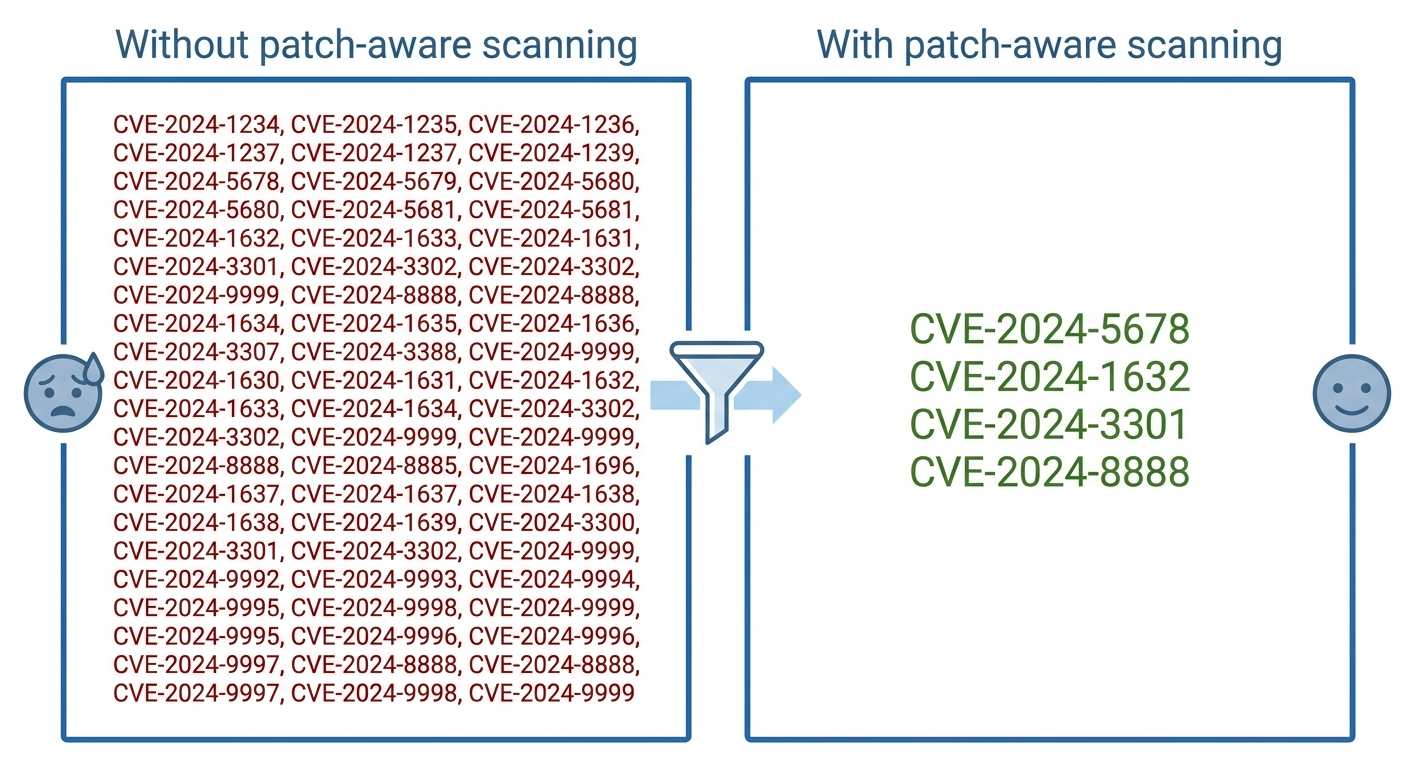
If a scanner reports 500 CVEs and 400 of them are already patched, it has just eaten your team’s week. Look at how a tool prioritizes findings and whether it accounts for backported or rebootless patches. Trivy reduces this problem for OS packages by trusting vendor advisories. Radar comes at the remaining Linux proof problem from a different angle, validating backports, rebootless patches, and ELS remediation on the host itself, so what reaches the report is open risk rather than a list of package versions.
3. Workflow and Reporting Fit
The best scanner is the one your team actually uses. Check whether it fits your pipeline, exports what your auditors want, and matches how you already work. Scanning only matters if it drives remediation, and it helps to be clear on the difference between patch management and vulnerability management before you commit to anything. One closes the gaps, the other tells you which gaps exist.
Final Note on Open-Source Vulnerability Scanners
For most teams the answer isn’t one scanner, it’s a small stack. Run OpenVAS for the network, Trivy for containers and dependencies, ZAP for web apps, and Lynis for host hardening, and you’ve covered nearly every surface at no license cost. Add OSV-Scanner if your dependency tree is big enough to deserve tooling of its own. The catch is the work you inherit: setup, tuning, and triage.
If your environment is Linux-heavy and the triage is the real bottleneck, the missing piece usually isn’t another scanner. It’s proof of what has already been fixed. That’s the jobTuxCare Radar does, verifying real patch state on backported, rebootless-patched, and ELS-supported hosts and handing you evidence you can pass straight to your security team and your auditors. It’s commercial, but it works with everything on this list rather than trying to replace any of it.
FAQs
Generally, yes, as long as they’re authorized and carefully configured. Passive checks are low risk. Active and aggressive testing is another story, because it can disrupt fragile services, change application state, or trip your own defensive tooling. Scope it, tune it, and test against staging first where you can.
Regularly, and the right cadence depends on how fast your environment changes and how critical the assets are. Higher-risk systems benefit from continuous or event-driven scanning. For a sense of scale, 2025 closed with more than 48,000 published CVEs, and the first quarter of 2026 alone produced 15,176, up from 12,009 in the same quarter of 2025. Point-in-time scans go stale fast, which is why scanning so often ends up wired into every build in a DevSecOps pipeline.
Sometimes. High-intensity active and network scans consume resources and, in rare cases, can disrupt fragile services. Schedule the heavy ones for off-peak windows and tune intensity to your environment.
For scanning itself, open source gets you a long way at no license cost, and commercial platforms mostly add automation, support, and breadth on top. The gap that tends to justify spending money on Linux isn’t detection, though. It’s verification: working out which findings are genuinely open once backports, rebootless patches, and ELS updates are in the picture. That’s the specific job TuxCare Radar does alongside whichever scanner you already run.