Tech Support
 Documentation
 Login
 Contact Us


Go straight to an AI summary of this blog post instead 


Key Takeaways
- Vulnerability management automation makes Linux security continuous by combining scanning, prioritization, and remediation into one workflow.
- The two main challenges are finding real vulnerabilities and fixing them without downtime.
- TuxCare Radar reduces scan noise, and KernelCare applies kernel patches without reboots, shrinking the vulnerability window.
Many Linux teams still rely on traditional methods for managing security risks. This usually means periodic scans, manual triage, scheduled patch cycles, and planned reboots. It works for smaller environments, but struggles at scale. Delays between discovery and remediation are common, especially when kernel patches must be applied during maintenance windows.
Automating vulnerability patch management addresses these limits. It focuses on reducing manual workloads during discovery and prioritization, and on shortening the time between identifying a risk and applying a fix where possible.
This article explains how vulnerability management automation works, why manual processes fail, and how Linux teams can strengthen their security posture using an automated, non-disruptive approach.
What Is Vulnerability Management Automation?
Vulnerability management automation is the practice of detecting, prioritizing, and fixing known software vulnerabilities with as little manual work as possible. It turns what was once a slow cycle of scanning, reporting, review, and patching into a continuous and repeatable process.
In the traditional model, security teams run vulnerability scans on a schedule, interpret the results, decide what matters most, and manually deploy patches. This takes time and effort, especially across large Linux fleets with many servers. Automated vulnerability management ties these steps together: it runs scans, ranks what matters most, and triggers remediation workflows automatically.
Without automation, teams would see long delays between when a vulnerability is published and when it is fixed. Many organizations take weeks or even months to patch critical vulnerabilities, while attackers need only hours to exploit them.
In a 2022 survey of IT and cybersecurity professionals conducted by the Ponemon Institute, 56% of respondents reported that their organizations take between five weeks and one year to remediate critical or high-priority vulnerabilities, even when patches are already available.
The Two-Part Challenge: Finding vs. Fixing Vulnerabilities
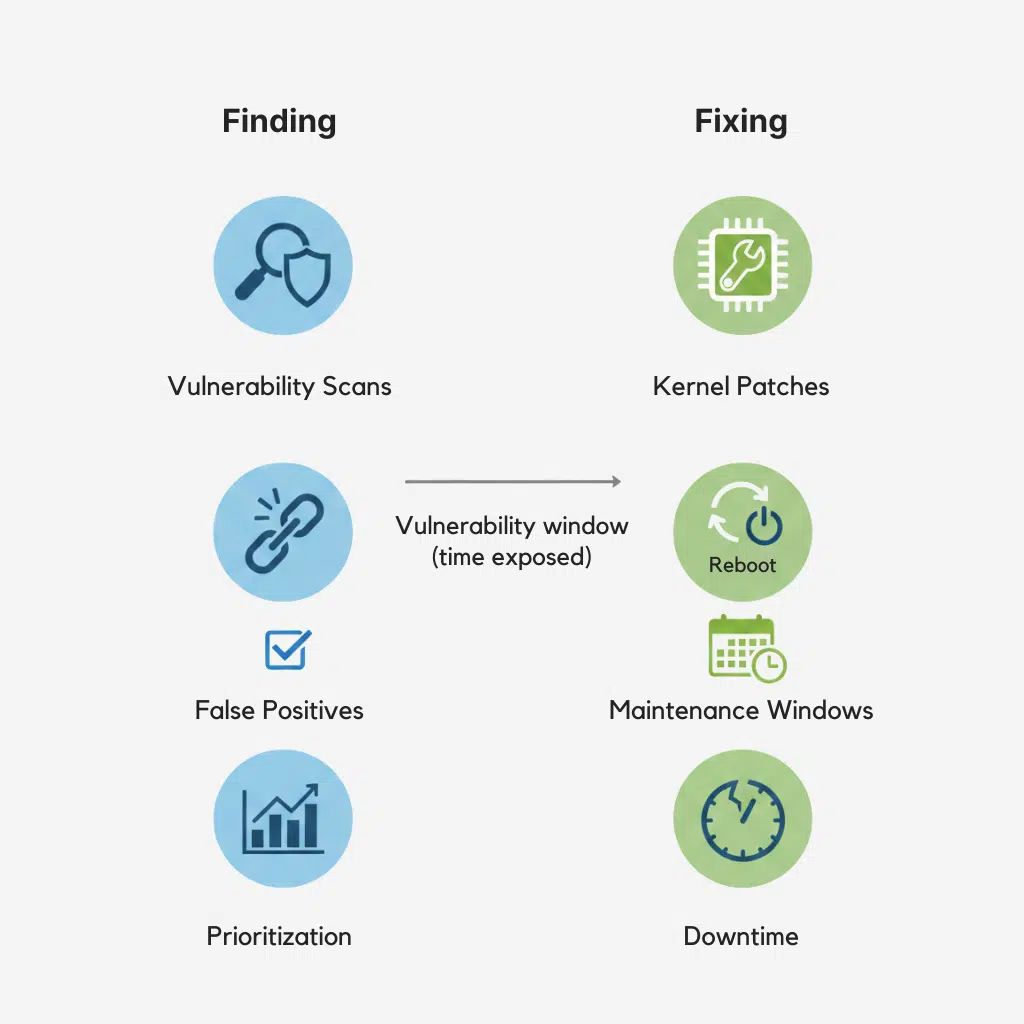
In Linux environments, vulnerability management consists of two main steps. Each can slow teams down if they rely on manual processes. One is about finding vulnerabilities, and the other is about fixing them.
Finding the Vulnerabilities
Finding vulnerabilities means scanning systems to discover known security issues, then deciding which ones matter most. High-impact vulnerabilities, which have higher risk scores, should take priority over low-risk findings.
For a closer look at the key steps and factors involved, see our guide on vulnerability prioritization.
Linux servers have thousands of packages, libraries, and kernel components, which means there is a vast attack surface. Scanners often generate long lists of results. Many findings are low risk, not exploitable in the current environment, or already mitigated by newer packages or live kernel patches. Teams must manually review these results, filter out false positives vulnerability, and focus on real threats.
Sorting and prioritizing manually is slow and error-prone. In complex Linux environments, it can take days (or longer) to interpret results, assign priority, and hand issues off to operations for patching.
Data shows that a typical vulnerability scanner can produce hundreds to thousands of findings per scan, with a large percentage having a low risk level or being false positives. This noise slows response times and forces teams to spend hours verifying whether an issue is real or already addressed.
Fixing the Vulnerabilities
After teams identify and prioritize a vulnerability, the next step is remediation. On Linux systems, this usually means applying security updates to the kernel, shared libraries, or other installed packages.
Not all fixes work the same way.
Kernel vulnerabilities are the most disruptive to address. Traditional kernel patching requires a reboot, which causes downtime and forces teams to schedule maintenance windows. Even when a fix is available, patches are often delayed to avoid service impact.
As a result, remediation is frequently postponed for days or weeks after a vulnerability is known.
For example, a critical kernel vulnerability discovered on an enterprise Linux server may remain unpatched while teams coordinate a maintenance window and prepare for a reboot. During this gap, the system stays exposed.
If you are evaluating external managed services or remediation partners to help manage this workload, you can explore our guide on selecting a vulnerability management service provider.
The TuxCare Approach: An Automated End-to-End Solution
The challenge in vulnerability management is not only finding vulnerabilities. It is fixing them quickly without disrupting operations. In Linux environments, this is especially difficult because kernel updates usually require reboots, and patching shared libraries such as glibc or OpenSSL can require application restarts.
TuxCare treats Linux vulnerability management as a connected workflow. It combines accurate discovery and risk-based prioritization with automated, non-disruptive remediation where possible. The result is a practical approach that reduces exposure time and operational overhead without forcing teams to change how they run their systems.
Step 1: Automated Discovery and Prioritization with TuxCare Radar
The first step in automation is knowing what actually matters. TuxCare Radar is built to identify Linux vulnerabilities and reduce scan noise.
Radar scans Linux systems, identifies known CVEs, and prioritizes them using AI-driven risk scoring. This analysis considers CVSS severity, patch availability, and real-time threat intelligence, helping teams focus on vulnerabilities that require action, not just those that appear in a scan.

How it works in practice
- Radar scans servers across the environment
- It identifies kernel and package vulnerabilities
- It generates audit-ready reports for security and compliance teams
Step 2: Automated and Rebootless Patching with KernelCare
TuxCare’s KernelCare handles the most challenging part of Linux patching: the kernel. Reboots cause downtime, disrupt applications, and force teams to delay patches until maintenance windows. KernelCare removes this barrier by applying patches to a running kernel without reboots. The patch is applied live while the system continues to run.
This reduces the window of vulnerability exposure. Critical kernel vulnerabilities can be fixed as soon as patches are released, rather than waiting days or weeks for maintenance windows.
How it works in practice
- KernelCare deploys patches automatically as soon as they are available
- Patches are applied automatically in real time, in the background, without restarting the system
- Workloads continue to run without interruption
Extended coverage
TuxCare also provides rebootless patching beyond the kernel:
- LibCare for shared libraries such as glibc and OpenSSL
- KernelCare IoT for ARM64 IoT and embedded devices
Note: TuxCare Radar recognizes when vulnerabilities are already fixed through KernelCare live patching, helping teams avoid false positives.
The Business Benefits of Vulnerability Management Automation
Automating vulnerability management is not only a security improvement. It is also a business improvement. When teams can find vulnerabilities quickly and fix them without downtime, they reduce risk and save time. They also reduce operational friction, which helps teams stay focused on strategic work.
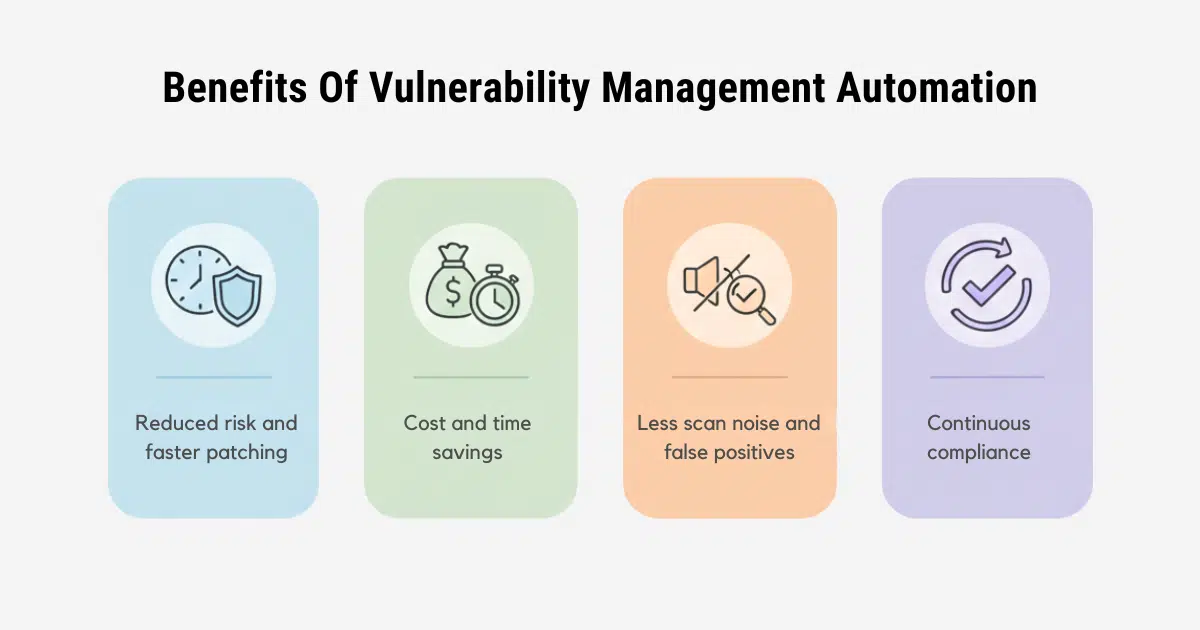
Below are the key business benefits of a complete automation workflow that includes discovery, prioritization, and remediation.
Drastically Reduced Risk and Vulnerability Window
The biggest risk in vulnerability management is the time between discovery and remediation. Manual workflows stretch this gap because teams wait for maintenance windows, approvals, or coordination across departments. That delay increases the window of exposure.
A combined approach with Radar and KernelCare shrinks the vulnerability window. Radar speeds up discovery and prioritization. KernelCare eliminates the need for downtime, so teams can apply critical kernel patches immediately. This reduces the time attackers have to exploit vulnerabilities, and pairs well with host-level controls like a properly configured Linux firewall that limits exposure on any unpatched services in the meantime.
Significant Cost and Time Savings
Manual vulnerability management requires coordination across teams. It also consumes time in scanning vulnerability data, triage, patch testing, scheduling, and reboots. This effort increases operational costs and reduces team productivity.
Automation reduces these costs in two ways:
- Radar reduces time spent on false positives and prioritization
- KernelCare reduces time spent on planning and executing reboots
For Linux teams, the time saved is not only about speed. It is also about avoiding disruption to critical services and avoiding costly downtime. In fact, according to the IBM Cost of a Data Breach Report 2024, organizations that extensively use artificial intelligence (AI) and automation flows save an average of $1.9M compared to those that do not.
Eliminate False Positives and “Scan Noise”
One of the most frustrating aspects of traditional vulnerability scanning is “scan noise,” the overwhelming number of false alarms that consume valuable time and lead to alert fatigue.
Mostly, vulnerability scanners create long lists of findings that include low-risk issues, duplicates, and false positives. This noise can overwhelm teams and delay response to real threats.
Radar reduces scan noise by prioritizing vulnerabilities and recognizing when an issue is already mitigated. Teams spend less time chasing non-issues and more time fixing real risks.
Ensure Continuous Compliance with Less Effort
Compliance frameworks require evidence of patch deployment and vulnerability management. Manual processes can make compliance checks a quarterly or yearly burden.
Automation changes compliance from a task into a state. Radar produces audit-ready reports. KernelCare ensures systems stay patched without reboots and downtime. Together, they provide a clear, continuous view of the security posture.
The Future is Non-Disruptive and Automated Workflows
Manual vulnerability management no longer matches the pace of modern Linux environments. Scanning, triage, and patching take time, and time is the most valuable asset in security. The longer a vulnerability remains unpatched, the greater the risk.
A complete automation workflow changes this. It connects vulnerability discovery and remediation so teams can respond faster and with less effort. Linux teams can reduce exposure by applying critical kernel patches without downtime, while also cutting through scanner noise and false positives.
Automation does not remove responsibility. It improves it. It lets security teams focus on the vulnerabilities that matter and the systems that require attention, instead of spending time on repetitive manual tasks.
If you want to reduce risk and simplify Linux vulnerability management automation, consider an approach that combines automated discovery, prioritization, and rebootless remediation. TuxCare supports this model, helping Linux teams maintain secure systems without operational disruption.
You can also learn more about selecting a Linux vulnerability scanner to enhance this process in our comprehensive guide.
FAQs
How does live patching work in a production environment?
Live patching applies kernel fixes in running Linux systems without rebooting. It updates code in memory while services stay online, reducing downtime and patch delays.
What is the difference between a vulnerability scanner and a patch management tool?
A scanner (like TuxCare Radar) finds and prioritizes vulnerabilities. A patch management tool (like KernelCare) applies the fixes. Automation works best when scanning and patching connect in a continuous workflow.
Can automation be phased in gradually across departments?
Yes. Start with a small set of systems or a single distro. Validate the workflow, then expand. Phased rollout reduces risk and builds confidence.